OTR 2 Game Review—Is It Worth Playing – Apk5Star
If you have ever fired up an open-world driving game on your phone and immediately felt let down by tiny maps, laggy physics, or a vehicle roster that is basically just four slightly different trucks, you already know the frustration. Mobile off-road games have always felt like they were trying hard but landing just short. That changed when DogByte Games quietly dropped OTR 2, the long-awaited sequel to their beloved Off The Road simulator, on Android and iOS in Spring 2026.
I put serious hours into this one before writing this OTR 2 game review, and I want to be upfront with you — this is not your typical rushed mobile sequel. The jump in ambition from the original to OTR 2 is genuinely surprising. From a map that is 30 times the size of its predecessor to a vehicle lineup that now includes fighter jets and powerboats, this game is trying to do something most mobile titles would not dare attempt.
In this review I will break down everything you need to know: the open world, vehicle variety, mission system, graphics, multiplayer, customization, and where the game still has room to grow. Whether you are deciding if OTR 2 is worth downloading or you have already started playing and want to get more out of it, this guide covers it all.
Quick Answer: What Is OTR 2?
OTR 2, officially titled Off The Road 2, is an open-world off-road driving simulator developed by DogByte Games for Android and iOS, released in Spring 2026. It features a seamless open-world map 30 times larger than the original game, with over 30 vehicles including trucks, 4x4s, supercars, helicopters, planes, and powerboats. Players can complete delivery missions to earn rewards, customize vehicles using a Livery Editor, and join up to 6-player online multiplayer sessions. The game is fully playable offline and supports a real-time day and night cycle with console-quality graphics on mobile.
The Open World: How Big Is OTR 2’s Map?
Let me put this into perspective for you. The original Off The Road had a solid open world for a mobile game — decent size, fun to explore, but you eventually ran out of new ground to cover. OTR 2 takes that map and multiplies it by 30. Not 30 percent bigger. Thirty times larger. That is a number that sounds absurd until you actually start driving around and realize you genuinely cannot see everything in a single session.
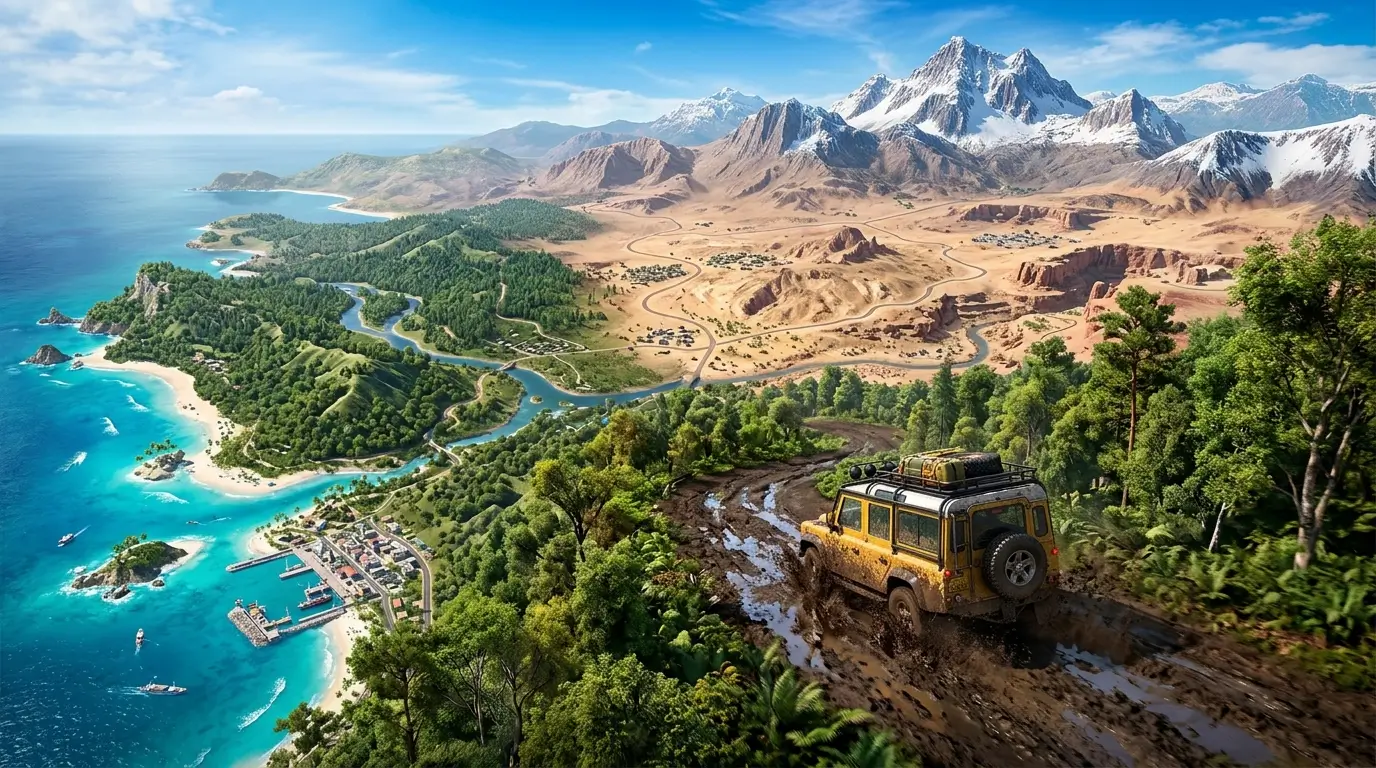
The map is completely seamless, meaning there are no loading screens breaking up your journey as you move from one environment to the next. You can roll down a dusty desert highway, hit the brakes at a mountain trail, and then power through a coastal wilderness stretch without a single pause. For a mobile game, that kind of continuity feels impressive.
Environments You Can Explore
The terrain variety in OTR 2 is one of its biggest strengths. Here is what you can expect to find across the map:
- Mountain ranges with steep climbs that test your suspension and throttle control
- Desert flatlands and sand dunes where you can push vehicles to their top speed
- Ocean coastlines and open water for boats and amphibious exploration
- Highways and paved roads suited for supercars and high-speed runs
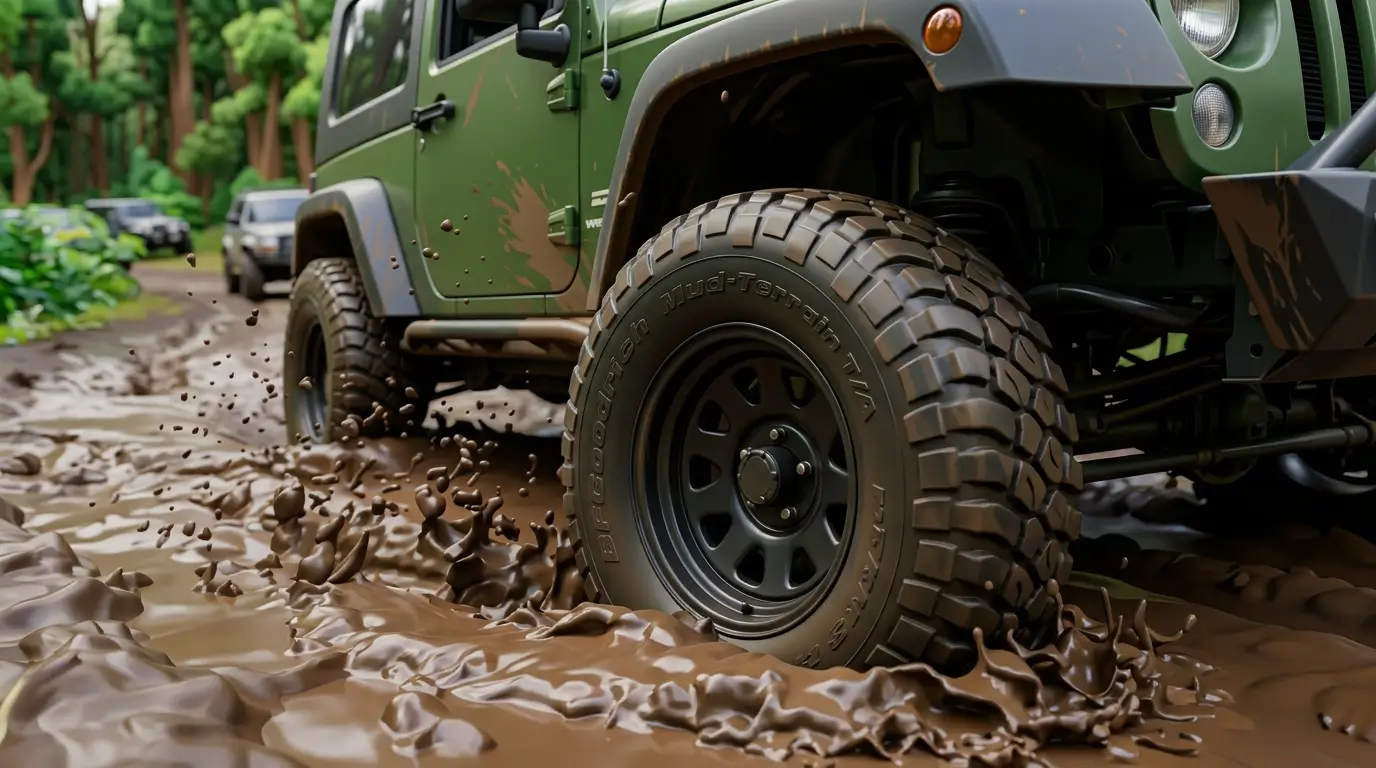
- Off-road wilderness trails that are uneven, muddy, and genuinely challenging
- Hidden secrets scattered throughout that reward thorough exploration
The world does not feel like a collection of biomes stitched together at the edges. Transitions between terrain types feel natural, and the sheer size means you can spend a whole session just cruising and still find areas you have not visited before.
OTR 2 Vehicle Roster: What Can You Drive?
This is where OTR 2 really separates itself from the competition. Most off-road games stick to a narrow vehicle category — trucks and maybe a couple of 4x4s. OTR 2 throws that rulebook out entirely. The game gives you control over more than 30 vehicles spanning land, air, and water, and each category handles in a noticeably different way.
Vehicle Categories at a Glance
| Vehicle Type | Best For | Terrain |
|---|---|---|
| Rugged 4x4s | All-terrain off-road exploration | Mud, hills, trails |
| Heavy-duty Trucks | Cargo delivery missions | Highways, rough roads |
| Supercars | High-speed runs and road racing | Asphalt, highways |
| Helicopters | Map exploration, aerial reach | Air |
| Fighter Jets | Fast aerial traversal | Air |
| Powerboats | Ocean and river travel | Water |
| Pickups and Off-road Rigs | Mixed terrain versatility | Dirt, mud, sand |
Each vehicle type uses a different control setup, which is something worth mentioning. DogByte Games built separate control schemes for land vehicles, helicopters, and aircraft, and they are all fully customizable. If you are new to flying in mobile games, the helicopter controls take a few minutes to get used to, but once they click, they genuinely feel satisfying to use.
Vehicle Physics and Realism
OTR 2 uses the Jolt Physics engine, a technology that powers some major commercial game productions. What this means for you as a player is that collisions feel weighted, water physics actually look and behave realistically, and mud sticks to your tires in a way that visually tracks with what the terrain looks like. The damage system is also functional, not just cosmetic. Take enough hits and your vehicle’s performance will reflect it.
Trucks feel heavy and deliberate, supercars feel responsive and light, and boats handle with that satisfying slight delay you would expect from water resistance. It is clear the team put real time into making each vehicle category feel distinct rather than just reskinned.
Missions and Progression System Explained
Exploration alone will keep you busy for a while, but OTR 2 adds structure to the experience through its missions system. The primary mission type revolves around deliveries — you pick up cargo and transport it to a destination across various terrain types, earning rewards on completion. It sounds simple on paper, and the early deliveries are straightforward enough. But as you push further into the game, routes become longer, terrain more punishing, and the choice of vehicle starts mattering more.
How Progression Works
Completing missions earns you in-game currency and rewards that you can spend on unlocking new vehicles and purchasing upgrades. Here is how the general progression loop runs:
- Start with a basic vehicle in your garage.
- Head into free exploration mode to get a feel for the map layout and locate mission markers.
- Accept delivery missions and complete them to earn coins and rewards.
- Use earned currency to unlock new vehicles or upgrade your current ones.
- Use the Livery Editor to customize your vehicles with paint jobs, decals, and performance tweaks.
- Take on harder missions that unlock access to more challenging terrain and better rewards.
- Unlock multiplayer rooms and compete or explore with up to five other players online.
The progression does not feel artificially gated in the early stages, which is a positive sign. You earn enough currency through normal play to keep moving forward without feeling stuck. The card-based reward system that some players have mentioned is one area where timing could be tightened — waiting on reward timers can disrupt the natural flow of a session — but it is not a dealbreaker by any means.
Additional Activities on the Map
Beyond the delivery missions, there are races, challenges, and scattered collectibles spread across the open world. Free exploration itself functions almost like a side activity because discovering new areas and hidden secrets is genuinely rewarding. The game encourages you to cover ground rather than stick to the same familiar routes, and the sheer scale of the map means you have good reason to do exactly that.
Graphics and Visual Quality
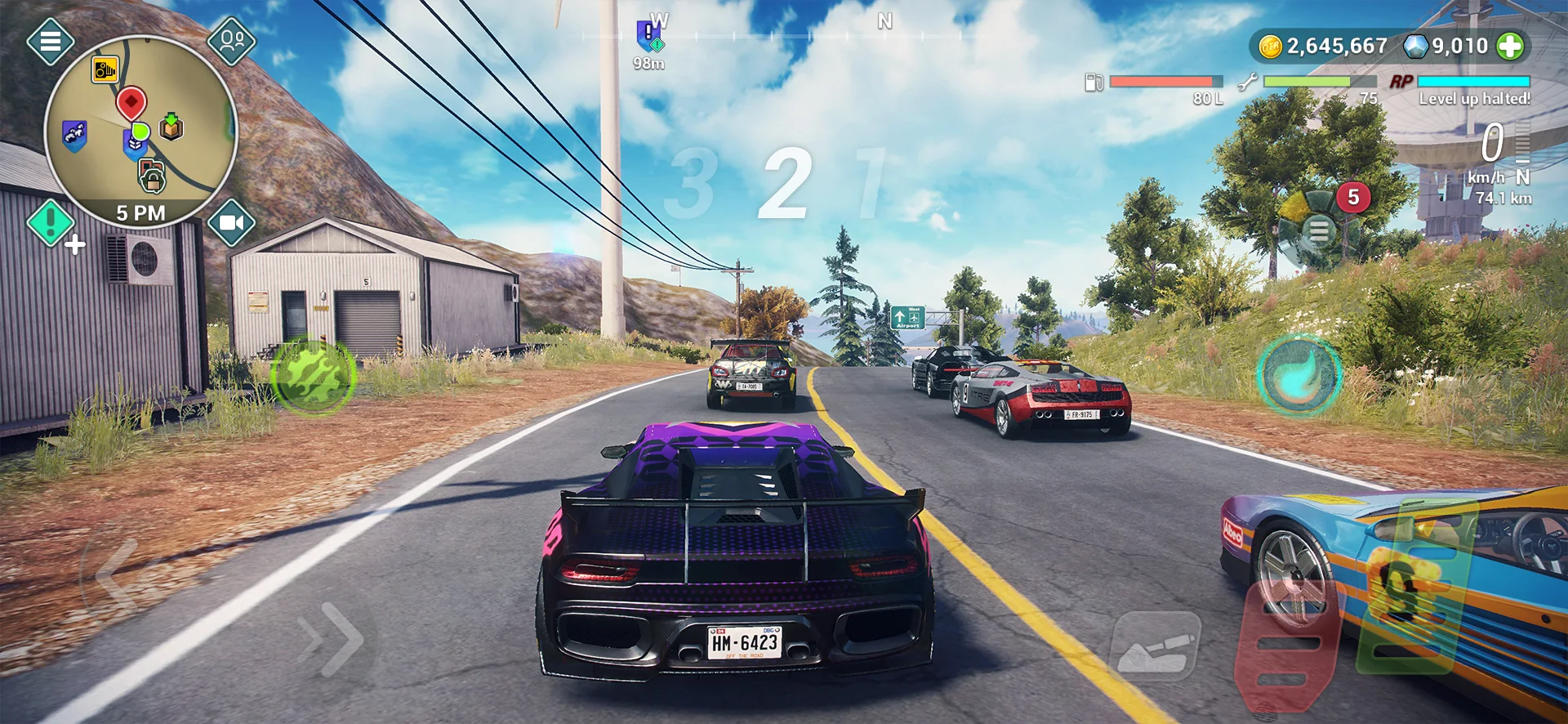
Mobile gaming and console-quality graphics have historically been a contradiction in terms, but OTR 2 makes a serious case for closing that gap. The lighting system stands out immediately. Whether you are driving through a sun-drenched desert at noon or navigating a mountain trail at dusk, the way light interacts with the environment looks genuinely impressive for a mobile title.
What Looks Great
- Real-time day and night cycle that shifts lighting conditions dynamically
- Mud physics that visually accumulate on tires and vehicle bodies as you drive through wet terrain
- Water physics that look detailed enough to make ocean navigation feel immersive
- Fully modeled vehicle interiors with functional dashboard details
- Advanced vehicle damage system that shows wear visually on the body
Performance Considerations
Here is the honest part. OTR 2 is a demanding game. On high-end Android and iOS devices, it runs beautifully at maximum settings. On mid-range phones, you may need to dial back the graphics settings to maintain smooth frame rates. If your device is a couple of generations old, expect to spend a few minutes in the settings menu before your first session. The game does provide graphical options to scale down, so it is not unplayable on older hardware — just not at its full visual potential.
Multiplayer Mode: Playing With Friends Online
OTR 2 supports up to 6 players simultaneously in its online multiplayer mode, which runs on dedicated servers to reduce lag. You can create public rooms that anyone can join or set up private sessions for a specific group of friends. What makes the multiplayer work well is the flexibility — you are not forced into a racing format. If you and your friends just want to cruise the open world together, explore new areas, and mess around with different vehicles, that is a completely valid way to spend a session.
Multiplayer Options
| Mode | Players Supported | Room Type | Focus |
|---|---|---|---|
| Online Racing | Up to 6 | Public or Private | Competitive races across the map |
| Co-op Exploration | Up to 6 | Public or Private | Free roam together in real time |
| Co-op Missions | Up to 6 | Private preferred | Complete deliveries and challenges together |
The dedicated server infrastructure is a notable upgrade from how OTR 2’s predecessor handled online play. Lag is noticeably reduced in stable connection environments, though as with any mobile multiplayer game, your mileage will depend on your internet quality. The game also remains fully playable offline, so your single-player experience is never dependent on a connection.
Customization: The Livery Editor and Vehicle Upgrades
Customization in OTR 2 goes further than a simple paint picker. The Livery Editor gives you control over paint colors, custom decals, and sticker placement, letting you build a vehicle that actually looks like yours rather than just a slightly different shade of the stock model. It is the kind of feature that matters more than it might initially seem — when you are spending hours in a game’s open world, having a vehicle you actually designed yourself adds to the investment.
What You Can Customize
- Full paint job with custom color selection
- Decals and custom sticker creation and placement
- Performance upgrades that affect handling, speed, and durability
- Aesthetic body modifications where available per vehicle
- Control layout adjustments for land vehicles, helicopters, and aircraft separately
Transmission options also deserve a mention. OTR 2 supports both automatic and manual gear shifting, which opens the game up to different types of players. Casual drivers can leave it on automatic and focus on exploration, while players who want a more hands-on driving experience can switch to manual and control every shift themselves.
Useful In-Game Mechanics
A few mechanics that make a real practical difference in gameplay:
- Nitro boost for bursts of acceleration during races or long highway runs
- Winch system to pull yourself free when a vehicle gets stuck in rough terrain
- Fuel management that becomes relevant during extended cross-map journeys
The winch is one of those features you do not think about until you absolutely need it, at which point you are very glad it exists.
Common Mistakes New Players Make in OTR 2
- Ignoring the map layout early on. The world is massive, and jumping straight into missions without spending time in free exploration mode leaves you navigating blind. Learn the terrain first and mission routes become far more manageable.
- Sticking to one vehicle type. Using only trucks or only 4x4s means you will struggle on terrain those vehicles are not designed for. Rotating between vehicle types based on the mission’s environment is how you progress efficiently.
- Skipping vehicle upgrades. The base versions of most vehicles are capable but limiting. Pouring earned currency into upgrades early, particularly for the vehicle you use most, makes a noticeable difference in mission performance.
- Neglecting the winch system. Getting stuck mid-mission with no way out is a frustrating experience that wastes time and can fail a delivery. Learn how and when to use the winch before it becomes an emergency.
- Playing on maximum graphics settings with a mid-range device. Frame rate drops during complex terrain or busy multiplayer sessions will hurt your control precision. Dial the settings to a level your device handles smoothly before getting competitive.
- Ignoring multiplayer entirely. The open world is genuinely more enjoyable with other players. Even casual co-op exploration teaches you map routes, vehicle behaviors, and mission shortcuts you would take much longer to discover solo.
Pro Tips for Getting the Most Out of OTR 2
- Use free exploration sessions specifically to hunt for hidden secrets scattered across the map. These reward you with currency and collectibles that accelerate your progression without requiring mission completion.
- Match your vehicle to the mission’s terrain type rather than defaulting to your favorite. A powerful truck is excellent for cargo delivery on rough roads, but a 4×4 with upgraded suspension handles mountain trail missions more efficiently.
- In multiplayer, joining public rooms early in a session is a fast way to learn map geography from experienced players. Watch where others drive and you will identify optimal routes you would otherwise spend hours discovering solo.
- Switch between automatic and manual transmission depending on the situation. Manual gives you more control during technical off-road sections and hill climbs, while automatic is better suited for long highway delivery runs where gear management would just be a distraction.
- Use the nitro boost strategically on flat highway sections rather than burning it on rough terrain where your speed is already limited by the ground. Saving nitro for straight-line situations maximizes its actual impact on delivery times.
- Invest upgrade currency into the vehicle you use for missions most often before diversifying into other vehicle types. A well-upgraded primary vehicle outperforms a collection of stock vehicles at almost every stage of the game.
- In the Livery Editor, save your custom designs before major upgrades or vehicle changes. Customization is account-linked, but keeping a record of configurations you like saves time if you want to recreate a specific look on a new vehicle.
OTR 2 vs. Original Off The Road: How Does It Compare?
| Feature | Off The Road (OTR 1) | OTR 2 (Off The Road 2) |
|---|---|---|
| Map Size | Standard mobile open world | 30x larger, fully seamless |
| Vehicle Types | Primarily trucks and 4x4s | 30+ across land, air, and water |
| Multiplayer | Basic online mode | Up to 6 players, dedicated servers |
| Physics Engine | Standard mobile physics | Jolt Physics with advanced water and damage |
| Customization | Limited | Full Livery Editor with decals and upgrades |
| Offline Play | Yes | Yes |
| Day and Night Cycle | No | Real-time dynamic cycle |
| Transmission Options | Automatic only | Automatic and manual |
Frequently Asked Questions About OTR 2
Is OTR 2 free to play?
OTR 2 is available as a free download on both the Google Play Store and the Apple App Store. The game includes optional in-app purchases and a VIP or Elite Club subscription that provides additional benefits. Core gameplay is accessible without spending money, though progression speed may vary based on play time.
Can you play OTR 2 without an internet connection?
Yes. OTR 2 is fully playable offline. You can explore the open world, complete missions, and use all single-player features without needing an active internet connection. Multiplayer obviously requires online access, but your entire single-player experience is never dependent on a connection.
How many vehicles are in OTR 2?
OTR 2 features over 30 vehicles spanning multiple categories including rugged 4x4s, heavy-duty trucks, pickups, supercars, helicopters, fighter jets, and high-speed powerboats. Each vehicle category uses a separate control scheme, and all controls are fully customizable in the settings menu.
Is OTR 2 available on both Android and iOS?
Yes. OTR 2 launched on both Android and iOS in Spring 2026. It is available on the Google Play Store and the Apple App Store. iOS users had access slightly earlier during the initial launch window, but both platforms now have full availability.
Does OTR 2 support multiplayer with friends?
OTR 2 supports online multiplayer with up to 6 players simultaneously. You can create private rooms to play exclusively with friends or join public rooms to play with other players worldwide. Multiplayer runs on dedicated servers, which reduces lag compared to peer-to-peer connections.
What is the Livery Editor in OTR 2?
The Livery Editor is OTR 2’s vehicle customization system. It allows you to apply custom paint colors, create and place decals and stickers on your vehicle, and adjust aesthetic details. Performance upgrades are handled separately but complement the visual customization to give you a vehicle that reflects both your style and your preferred gameplay setup.
What devices does OTR 2 run well on?
OTR 2 runs best on high-end smartphones with strong GPU performance. On mid-range devices, reducing graphics settings to medium or lower can significantly improve frame rate stability. Very old devices may struggle with the game’s demands, so checking the recommended device specifications on the app store page before downloading is advisable if you are unsure about your phone’s capabilities.
Final Verdict: Should You Play OTR 2?
After putting serious time into this OTR 2 game review, the answer is a confident yes for anyone who enjoys open-world driving games on mobile. This is not a game that checks a few boxes and calls it done. DogByte Games built something that genuinely feels ambitious, and in most areas it delivers on that ambition.
The map scale is extraordinary for a mobile game. The vehicle variety keeps things fresh far longer than you might expect. The Jolt Physics engine gives the driving a weight and responsiveness that mobile titles rarely manage. And the multiplayer, with dedicated servers and support for six players, is more capable than most games in this category bother to offer.
Where it has room to grow: the card reward system could use tighter timing, the map could benefit from more populated areas to make the world feel lived-in, and players on mid-range devices will need to compromise on visual settings. None of these issues are serious enough to damage the overall experience, but they are worth knowing before you start.
If you played the original Off The Road and loved it, OTR 2 is everything that game was and then some. If you are new to the series, this is a genuinely impressive starting point. Give it a download — you will have plenty of road to cover.
DISCLAIMER: This article is for informational and entertainment purposes only. OTR 2 (Off The Road 2) is a product of DogByte Games. All in-game features, vehicle details, and gameplay mechanics mentioned are based on community gameplay experience and publicly available information at the time of writing and may change with official game updates. apk5star.com is not affiliated with or endorsed by DogByte Games or any related publisher.