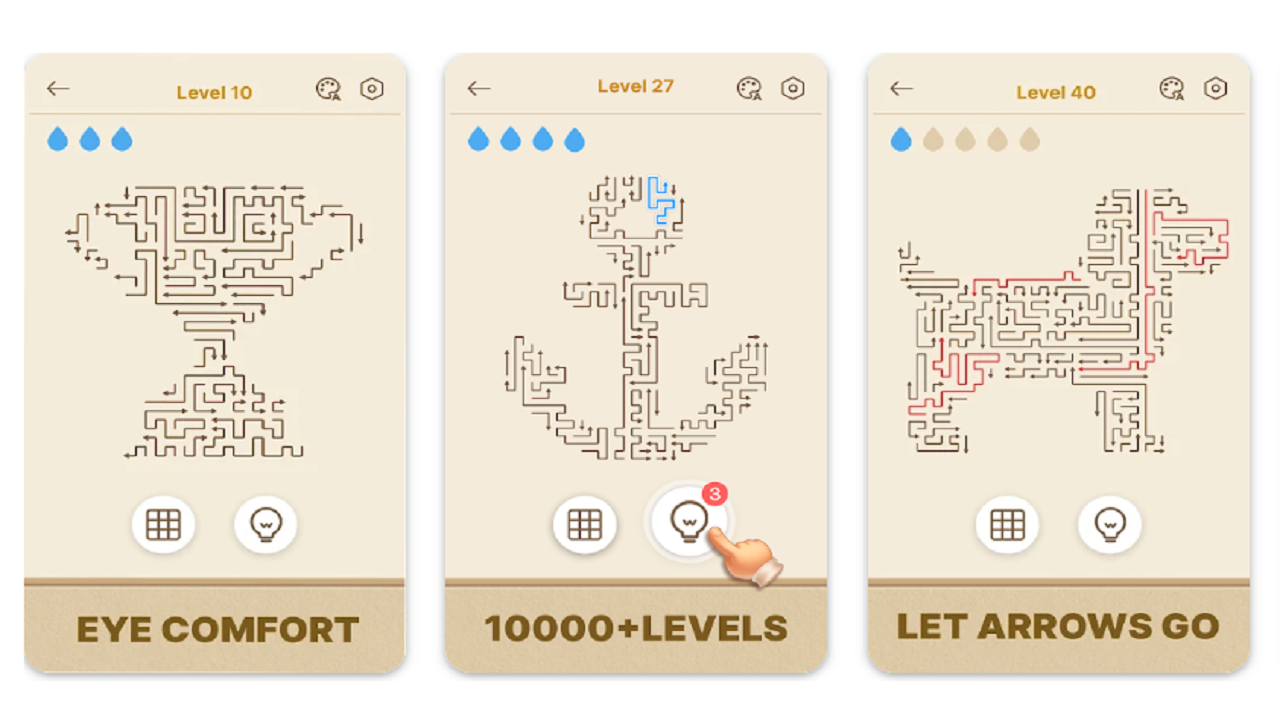
Arrows GO Game Review: Is It Worth Your Time – Apk5Star
If you have ever picked up your phone looking for something quick to play during a commute or a short break, you already know how hard it is to find a casual game that actually holds your attention past the first five minutes. Most of them burn out fast. You tap through a few levels, realize the whole thing is just the same loop recycled endlessly, and you move on. So when I came across Arrows GO and started playing it, I went in with pretty low expectations — and I was genuinely surprised by what I found.
This Arrows GO game review covers everything you need to know before downloading it. We will walk through the core gameplay mechanics, what the controls feel like, how the level design holds up as you progress, where the game shines, where it falls short, and whether it is actually fun to keep coming back to. If you are trying to decide whether to give it a shot, this breakdown should answer most of the questions you have.
Whether you are a fan of precision-based puzzle games, casual mobile titles, or just looking for something new to fill five minutes here and there, stick around. There is a lot to unpack here.
Quick Answer: What Is Arrows GO?
Arrows GO is a casual mobile game centered around aiming and shooting arrows at targets across increasingly complex levels. The gameplay relies on your ability to judge angles, timing, and trajectory to clear obstacles and hit the goal. It is lightweight, easy to pick up, and designed for short play sessions. The game starts accessible but ramps up in difficulty gradually, making it appealing to both newcomers and players who enjoy a bit of a challenge. It is free to download with optional in-app elements included.
What Kind of Game Is Arrows GO?
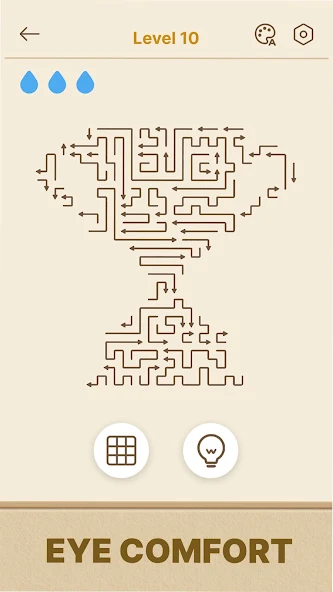
Before getting into the specifics, it helps to understand the genre so you know what you are walking into. Arrows GO sits comfortably in the casual arcade-puzzle space. It is not a strategy game that demands careful planning over long sessions, and it is not a reflex-heavy action game either. Instead, it asks you to solve each level by thinking about physics and positioning while also executing your shots cleanly.
The core loop is simple: you have arrows, you have targets, and your job is to figure out how to hit them. But the game builds on that loop well. As levels progress, new environmental elements get introduced — walls, moving platforms, deflectors, and other mechanics that force you to approach each stage differently rather than just repeating the same technique.
This is honestly one of the stronger design choices in the game. A lot of casual games introduce gimmicks that end up feeling tacked on. In Arrows GO, new mechanics feel like natural extensions of what came before. They layer in smoothly and give players a reason to keep going.
Who Is This Game Made For?
Arrows GO is a good fit for players who enjoy puzzle games but do not want the pressure of long sessions or complex storylines. It works great as a secondary game — something you open when you are waiting in line or have a few minutes between tasks. Kids can enjoy it too, though older players who like a genuine challenge will find the later levels more satisfying.
Arrows GO Gameplay Mechanics Explained
The gameplay in Arrows GO is built around a simple touch-and-aim system. You press and hold on the screen, drag to set your angle and power, then release to fire. The visual feedback while aiming is clear enough that you can quickly develop a feel for how to line up shots, which matters a lot in the more complicated stages.
What makes it more interesting than a basic bow-and-arrow concept is how the game uses the physics. Arrows travel in arcs rather than straight lines, which means distance and power matter. You cannot just aim directly at a target that is sitting behind an obstacle — you have to work out the right trajectory to lob the arrow over or around it.
Controls and Responsiveness
The controls feel tight. On a touchscreen, that is not always guaranteed — plenty of games in this category have aim systems that feel mushy or imprecise. Arrows GO gets it right. The drag input is responsive, and the angle indicator gives you a clear visual reference without cluttering the screen. It takes maybe two or three levels before the controls start to feel natural.
Difficulty Progression
The difficulty curve in Arrows GO is one of its better qualities. Early levels act as a proper tutorial, letting you build confidence without throwing complex obstacles at you right away. By the mid-game, you start encountering scenarios where a single solution is not always obvious, which is where the game picks up. Late levels require genuine thought and sometimes multiple attempts to crack.
That said, the difficulty does plateau in certain stretches. There are runs of levels that feel like filler — similar to stages you have already beaten but without meaningful variation. It is not a dealbreaker, but seasoned puzzle players may notice it.
[INTERNAL LINK: Best Casual Puzzle Games for Android in 2024]
Level Design: How Does It Hold Up?
Level design is the heart of any puzzle-based game, and Arrows GO does a decent job here overall. The early and mid-game levels are well-constructed. They introduce new ideas at a pace that keeps things interesting, and most stages feel purposeful rather than randomly generated.
The visual design of each level is clean and readable. You can tell at a glance what is an obstacle, what is the target, and what elements might interact with your arrow. That kind of visual clarity is underrated in mobile games — it reduces frustration and lets you focus on solving the actual problem.
Variety in Stage Design
Later stages mix in environmental variety that keeps the visual experience from feeling repetitive. Different themed environments introduce new aesthetic backdrops without changing the core mechanics too dramatically. It is a nice touch that shows the developers thought about pacing beyond just the difficulty curve.
Where Level Design Could Be Stronger
The main weakness is that some level bundles feel recycled. If you play for extended sessions rather than short bursts, you will start to notice patterns in the obstacle placement and target positioning. The game seems designed more for people playing ten minutes at a time, and in that context, the repetition becomes much less noticeable.
Graphics, Sound, and Overall Presentation
Arrows GO does not try to compete with graphically intense games. The visual style is clean and colorful with a simple aesthetic that works well on mobile screens of all sizes. Character or object models are not overly detailed, but they do not need to be. The art direction is consistent and easy on the eyes for long play sessions.
Sound Design
The audio in Arrows GO is functional. The sound effects for firing arrows and hitting targets give satisfying feedback, which is important for the gameplay loop to feel rewarding. The background music is light and unobtrusive — exactly what you want from a casual game. It does not get annoying quickly, which is a bigger compliment than it sounds.
Performance
The game runs smoothly on most modern devices. Loading times are minimal, and level transitions are fast. If you are playing on an older phone, performance may vary slightly, but for a game of this type, the optimization is solid.
| Feature | Rating | Notes |
|---|---|---|
| Gameplay Mechanics | 4/5 | Tight controls, satisfying physics-based aiming |
| Level Design | 3.5/5 | Good early and mid-game, some late-game repetition |
| Graphics | 3.5/5 | Clean and colorful, not complex but fits the style |
| Sound Design | 3.5/5 | Functional and non-annoying, satisfying hit feedback |
| Difficulty Curve | 4/5 | Smooth early progression, genuine challenge later |
| Replayability | 3/5 | Best for short sessions; extended play reveals repetition |
| Overall Experience | 3.8/5 | Solid casual title worth downloading |
How Arrows GO Compares to Similar Games
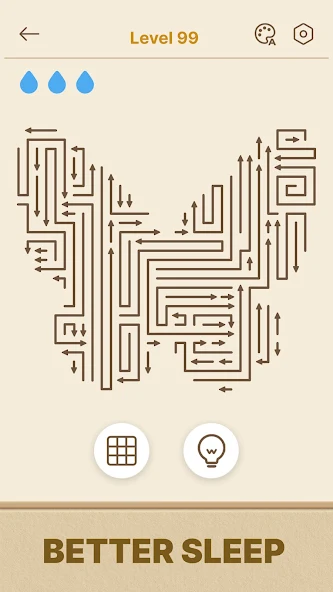
The casual arrow game space on mobile is not exactly empty. Games like Archero, Arrow Fest, and various bow-and-arrow titles have all carved out audiences. Where does Arrows GO fit?
Compared to Archero, Arrows GO is significantly more accessible. Archero has RPG progression systems, permadeath mechanics, and equipment upgrades that add complexity. Arrows GO keeps it pure — no character builds, no gear to worry about. It is just you and the levels. That simplicity is either its biggest strength or its biggest limitation depending on what you are looking for.
Against simpler arrow titles, Arrows GO holds its own because the physics model is more believable and the level design is more thoughtful. Random obstacle generators can feel soulless, and Arrows GO avoids that trap in its better stages.
| Game | Complexity | Progression System | Best For |
|---|---|---|---|
| Arrows GO | Low-Medium | Level-based | Quick sessions, puzzle fans |
| Archero | High | RPG upgrades + equipment | Players wanting depth and grinding |
| Arrow Fest | Low | Minimal | Very casual, younger audience |
| Bowmasters | Medium | Character unlocks | Multiplayer, competitive |
[INTERNAL LINK: Top Arrow and Archery Games for Mobile 2024]
Step-by-Step: How to Get Started with Arrows GO
- Download and install the game from your device’s official app store. It is free to download and installs quickly.
- Play through the first 10 levels without skipping. They function as a tutorial and help you understand the trajectory system before anything tricky shows up.
- Pay attention to the angle indicator while dragging. It is your most reliable tool for judging where the arrow will go.
- Experiment with shot power. Not every target needs a full-power shot. Sometimes a softer arc gives you a better angle around an obstacle.
- Study the level before shooting. Spend two or three seconds scanning the stage layout before firing. On levels with deflectors or moving elements, this preparation saves a lot of wasted attempts.
- Do not rush through levels. The game does not penalize you for taking your time on a shot, so use that to your advantage.
- Revisit failed levels after a short break. Sometimes stepping away for a few minutes and coming back with fresh eyes makes the solution obvious.
Common Mistakes Players Make in Arrows GO
- Rushing shots without reading the level. A lot of early frustration comes from firing immediately without scanning what is on screen. Most levels have a clear solution once you actually look at all the elements.
- Always using maximum power. The arc system means that sometimes a weaker shot creates a higher, more useful trajectory. Players who always drag to full power limit themselves.
- Ignoring deflectors and bounce surfaces. Some levels are specifically designed around using deflectors to change the arrow’s path. Players who try to find direct-path solutions on these stages waste a lot of attempts.
- Not adjusting for moving obstacles. Timing matters on levels with moving elements. Firing at the wrong moment turns a solvable level into repeated failures.
- Giving up on a level too quickly. Arrows GO levels often have one clean solution that requires a non-obvious angle. Patience is the skill that separates players who progress smoothly from those who get stuck.
- Playing in long unbroken sessions. The game is designed for short bursts. Long sessions make the repetition more noticeable and the gameplay less satisfying. Short sessions keep it feeling fresh.
[INTERNAL LINK: How to Improve Your Aim in Mobile Puzzle Games]
Pro Tips for Getting the Most Out of Arrows GO
Master the Arc Before Anything Else
The single most important skill in Arrows GO is understanding your arrow’s arc at different power levels. Spend the first few sessions deliberately testing different power outputs on easy levels just to internalize how the trajectory changes. This foundation will make mid-game and late-game levels significantly easier.
Use Obstacles as Tools, Not Just Barriers
Some of the most satisfying levels in the game involve using the environment creatively. Walls and surfaces that look like barriers can sometimes serve as strategic bounce points. When a direct shot seems impossible, think about whether a wall can redirect the arrow to where you need it.
Take Advantage of the Aim Preview
The aim arc preview is a major help and a lot of players do not use it fully. When you drag to aim, the preview line shows you exactly where your arrow is heading. Spend time lining up your shot carefully before releasing. Rushing past this tool is one of the main reasons players repeat levels unnecessarily.
Learn Each New Mechanic When It First Appears
Every time Arrows GO introduces a new element — a new type of obstacle, a deflector, a moving platform — treat that first level as a free learning stage. Focus on understanding how the mechanic works rather than just trying to clear the level quickly. That understanding pays off in every subsequent level using that mechanic.
Keep Sessions Short and Regular
This sounds like basic advice, but it genuinely improves the experience with Arrows GO specifically. Ten to fifteen minutes per session keeps the game feeling fresh and makes the level design feel more varied than it actually is. Long sessions expose the repetition; short ones let you enjoy the highlights.
The Monetization Setup in Arrows GO
Since this is a free-to-play mobile game, it is worth addressing how the monetization works. Arrows GO uses ads as its primary revenue mechanism — rewarded video ads that offer optional benefits like extra hints or continue options. The key word here is optional. You can progress through the game without engaging with any ads, though watching a rewarded ad occasionally can ease tougher levels.
There are also in-app purchase options for players who want to remove ads or access certain bonuses. This is a standard setup for the genre and does not feel aggressive. The game does not lock core content behind paywalls or pressure you to spend money to keep progressing.
Compared to some mobile titles that make ad interruptions unavoidable or design difficulty specifically around pushing purchases, Arrows GO sits in the more player-friendly half of the spectrum. The monetization exists but does not define the experience.
Does Arrows GO Have Longevity?
This depends entirely on what you want from a mobile game. If you are looking for something with deep progression systems, a story to follow, or endless content updates, Arrows GO is not going to satisfy that. It is a level-based casual game. You work through the levels at your own pace and that is essentially the entire experience.
For what it is, the level count gives you plenty of content for weeks of short daily sessions. If the developers continue adding new level packs, the game can maintain relevance over time. At the point of this review, the available levels provide enough variety to keep the game interesting for a good stretch.
The real question is whether you are the kind of player who can enjoy something without needing endless depth. If a well-designed casual game that you pick up and put down at will sounds appealing, Arrows GO has solid longevity in that context.
Frequently Asked Questions About Arrows GO
Is Arrows GO free to play?
Yes, Arrows GO is free to download and play. The core gameplay is fully accessible without spending any money. Optional in-app purchases exist for ad removal and certain bonuses, but they are not required to progress through the game.
What age group is Arrows GO suitable for?
Arrows GO is appropriate for players of all ages. Younger players can enjoy the simple early levels, while older players who like puzzle games will find the mid-to-late game stages more engaging. There is no violent or inappropriate content.
How many levels does Arrows GO have?
The total level count in Arrows GO varies as developers release updates. At the time of this review, the game includes a substantial number of levels that provide several weeks of casual play. Check the game’s current version for the latest level count.
Does Arrows GO require an internet connection?
Most of the core gameplay in Arrows GO can be played offline. An internet connection is needed to watch rewarded ads, access any online features, and receive game updates. For standard level-based play, offline mode works well.
Is Arrows GO worth downloading?
If you enjoy casual puzzle games and are looking for something that works well in short play sessions, yes — Arrows GO is worth downloading. It is free, the controls are tight, and the physics-based mechanics add enough variety to keep it interesting. It does not have the depth of more complex games, but it does what it aims to do well.
How do you beat hard levels in Arrows GO?
Hard levels in Arrows GO usually require you to use the environment strategically rather than finding a direct path to the target. Look for deflectors or surfaces your arrow can bounce off, experiment with different power levels to change the arc, and make sure you fully scan the level layout before shooting. Taking your time on aim preview makes a significant difference.
Does Arrows GO work on older devices?
Arrows GO is a lightweight game and generally performs well on most devices, including older models. The graphics are not demanding, which helps with compatibility. If you are on a significantly older device, performance may vary, but the game is optimized for a broad range of hardware.
Final Verdict on the Arrows GO Game Review
After spending real time with Arrows GO, here is where I land on it: it is a genuinely solid casual game that does its job well. The physics-based aiming is satisfying, the controls are responsive, and the level design is thoughtful enough in its better stretches to make each stage feel like a small puzzle to solve rather than just a task to complete.
It is not a game that will consume your evenings or pull you away from more complex titles. It was never trying to do that. As a casual experience designed for short daily sessions, this Arrows GO game review finds it to be a clean, polished product that respects your time and delivers consistent entertainment without aggressive monetization getting in the way.
The areas where it falls short — some level repetition in extended sessions, a difficulty plateau in certain stretches — are real but minor considering what the game costs, which is nothing. For the right kind of player, Arrows GO earns a spot on the home screen. Give it a download, work through the first twenty levels, and you will know quickly whether it fits into your rotation.
DISCLAIMER: This article is for informational and entertainment purposes only. Arrows GO is the product of its respective developers. All gameplay observations, feature descriptions, and assessments mentioned are based on community gameplay experience and personal review at the time of writing, and may change with official game updates. apk5star.com is not affiliated with or endorsed by the developers or publishers of Arrows GO.