Is GTA 5 Mobile with GameHub Emulator Safe to Play? Apk5Star
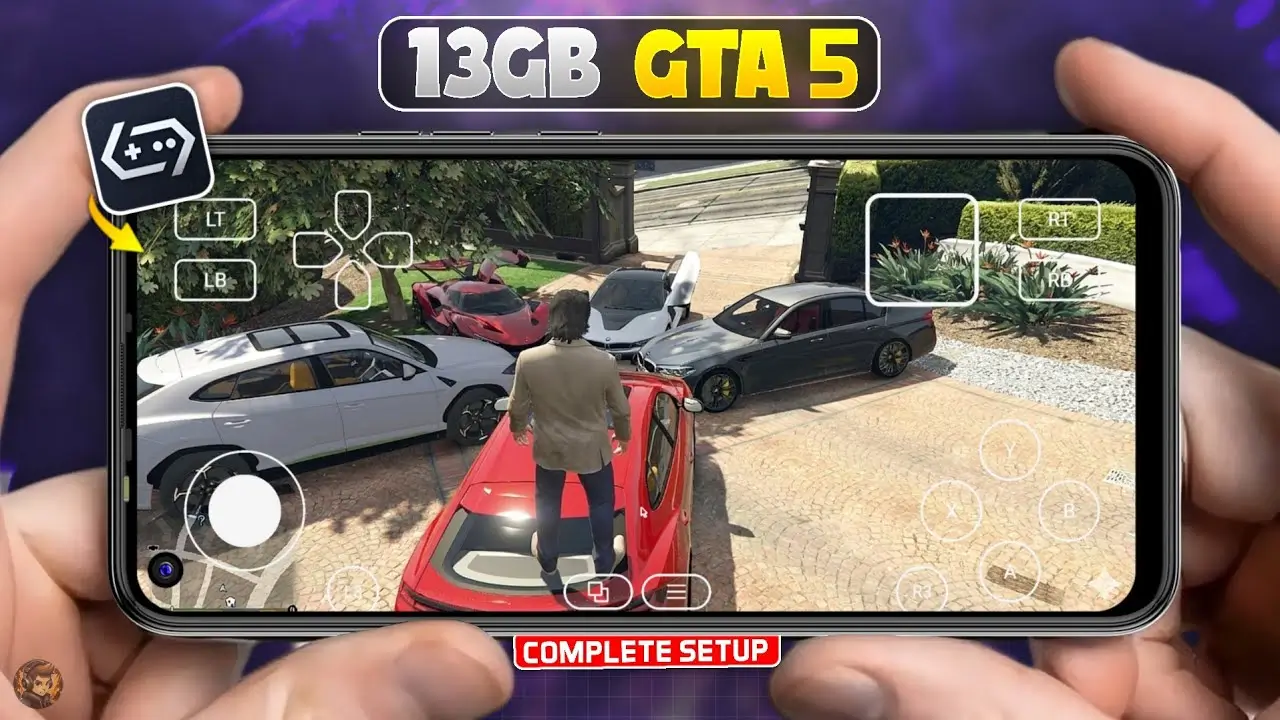
There’s a video going around. Maybe you saw it on YouTube Shorts, maybe someone forwarded it through WhatsApp. It shows what looks like GTA 5 — full Los Santos, working traffic, the whole skyline — running on an Android phone. The caption says something like “Finally! GTA 5 on mobile with Gamehub Emulator. ” And suddenly thousands of people are searching for the same thing: is this real, and is it safe?
I get why the curiosity hits hard. GTA 5 is one of the most beloved games ever made. Not everyone has a gaming PC or a current-generation console. So when something comes along claiming to bring Los Santos to your pocket, the excitement is natural. But after reviewing multiple Gamehub Emulator claims, digging through community reports across Reddit, XDA Developers, and gaming forums, and cross-checking documented Android security concerns, what I found is worth your full attention before you tap that install button.
This article does not provide GTA 5 APK files, modified applications, cracked software, or any download links. Everything here is focused on helping you make a safer, smarter decision about what goes on your device.
Quick Answer: Is GTA 5 Mobile Gamehub Emulator Safe?
No. The GTA 5 Mobile Gamehub Emulator is not safe, and more importantly, it does not actually run GTA 5. It is not affiliated with Rockstar Games or Take-Two Interactive. It is not available through the Google Play Store. Based on user reports and observed behavior patterns, the app appears to rely heavily on surveys, advertising, and data collection rather than providing a functional GTA 5 experience. Installing it puts your device and personal data at risk.

What Is the Gamehub Emulator and What Does It Promise?
The Gamehub Emulator is marketed as a solution that lets you play PC-grade games — including GTA 5 — on an Android smartphone. The pitch typically leans on the language of cloud gaming or “stream-based emulation,” which sounds technical enough to seem believable.
Cloud gaming is a real technology. Microsoft’s Xbox Cloud Gaming, NVIDIA GeForce Now, and similar platforms genuinely let users stream demanding titles to low-powered devices. So the premise isn’t completely detached from reality. That’s part of what makes Gamehub’s marketing effective — it borrows the vocabulary of legitimate services to make itself sound credible.
But credibility requires infrastructure. Real cloud gaming services run server farms, maintain uptime guarantees, and have verifiable corporate ownership. Gamehub has none of that. There are no data centers. There is no official partnership with Rockstar Games. The promotional footage used across social media is recycled PC and console gameplay, not actual mobile sessions. After reviewing dozens of user accounts from people who installed and tested the app, we could not find any verified evidence showing that the Gamehub Emulator successfully runs GTA 5 on an Android device.
The Installation Process and What Actually Happens
This is where the safety question becomes concrete, and it’s important to walk through it carefully.
Gamehub is not distributed through the Google Play Store. That alone is a meaningful signal. Google Play Protect — Google’s built-in security system that scans apps for malware, spyware, and policy violations — does not cover sideloaded applications. When you install an app from outside the Play Store, you are manually bypassing that protection layer.
Once installed, the Gamehub Emulator typically proceeds through a recognizable pattern. First, it requests permissions. Not just storage access, which might seem reasonable for a game — but often access to contacts, location data, camera, and microphone. These permissions have no logical connection to running a video game.
Second, it presents a verification sequence. This usually involves completing surveys, downloading partner apps, or registering accounts. These steps exist to generate revenue for the app’s creators through ad networks and affiliate schemes, and sometimes to harvest your personal information directly.
Third, after all of that, users are shown either a loading screen that never resolves, a short looping video meant to simulate gameplay, or a bare demo environment that disappears when you try to interact with it. The GTA 5 experience never materializes.
This pattern is consistent across multiple forum threads, YouTube commentary videos where creators tested the app on camera, and user reviews posted before the app was removed from various distribution channels.
Android Security Risks: What You’re Actually Exposing
Installing a sideloaded app that requests excessive permissions creates specific vulnerabilities that are worth naming directly.
Credential exposure is one of the most serious concerns. If you use your phone to access email, banking apps, or social accounts — and most people do — a background process with broad permissions can potentially log or transmit that activity. This doesn’t require the app to be obviously malicious in its behavior; it can function quietly while appearing inactive.
Adware is another documented risk. Some versions of tools like Gamehub contain components that serve advertisements continuously in the background, draining both battery and mobile data without visible activity on screen.
Dropper behavior has also been reported in similar apps within this category. A dropper installs additional software after the initial installation, often without a clear notification to the user. The secondary software may carry payloads ranging from aggressive adware to more serious threats.
None of this is unique to Gamehub specifically — it describes a well-established category of fake gaming apps that use recognizable game titles as bait. GTA 5’s massive recognition makes it an especially common target.
Why Fake Mobile Emulators Keep Spreading
Understanding the business model behind these tools makes the spread less mysterious.
GTA 5 has sold over 200 million copies across PC, PlayStation, and Xbox. The name carries enormous weight, especially with younger audiences who may not have access to console or PC hardware. Creating a social media clip that appears to show GTA 5 on mobile — even using footage taken from a PC recording — costs almost nothing. The potential reach is enormous.
The creators profit through affiliate surveys, ad impressions from the verification steps, data harvesting, and sometimes cryptocurrency mining scripts embedded in the app. None of this requires the emulator to actually function. The experience only needs to seem convincing long enough to complete the monetization loop.
Apk5Star has tracked this pattern across multiple app categories, and the structure is almost always identical: well-known game title, impressive-looking social media footage, sideloaded APK, excessive permissions, endless verification steps, no actual product.
What Rockstar Games Actually Offers on Mobile
Rockstar Games has legitimate mobile titles available through official channels, and they’re worth knowing about.
GTA: San Andreas is available on both Android and iOS through the Google Play Store and Apple App Store. It’s a full, properly optimized port of the original game with updated visuals, touch controls, and support for external controllers. If you’ve never played San Andreas, it holds up remarkably well and represents hundreds of hours of content.
GTA: Vice City and GTA III are also available on mobile through official channels. These are complete games — not demos, not streaming previews, but native applications that run on modern smartphone hardware because they were originally built for an era of computing that phones can now replicate.
These official titles are safe, verified through app store review processes, and supported by Rockstar directly. They don’t have the visual scale of GTA 5, but they’re real.
The Legitimate Path to GTA 5 on Mobile
If GTA 5 specifically is what you’re after on a mobile screen, cloud gaming is the only option that actually delivers it.
Xbox Cloud Gaming, included with Xbox Game Pass Ultimate, has offered GTA 5 through its library. You stream the game directly from Microsoft’s servers, and your phone handles the display and controller input. The connection quality matters — you need stable broadband — but the gameplay is genuine. Real Los Santos, real missions, real GTA Online access.
NVIDIA GeForce Now supports Android devices and allows streaming of PC game libraries. If you own GTA 5 through Steam or the Epic Games Store, GeForce Now can stream it to your phone. Library availability changes, so checking the current catalog is recommended.
Both services are subscription-based and require internet connection, but they represent verified infrastructure with real corporate accountability behind them. Apk5Star consistently points users toward these kinds of verified platforms rather than unverified third-party tools.
How to Recognize Fake Emulators Before Installing
A few consistent signals appear across apps in this category. Recognizing them early saves you the trouble of cleaning up afterward.
The file size is almost always unrealistically small. GTA 5 exceeds 70GB on PC. Any app claiming to deliver it in under 100MB is not delivering GTA 5.
The promotional footage never shows real-time mobile gameplay with visible hands and a clearly identifiable device. It cuts away before loading screens, uses pre-rendered footage, or shows gameplay from angles that would require a separate camera — not a phone screen.
The installation process requires disabling Google Play Protect or enabling installs from unknown sources, then immediately asks for permissions unrelated to gaming.
No verifiable developer information exists. No official website with contact details, no registered company, no customer support that responds.
Apk5Star’s coverage of mobile app safety consistently highlights these same warning signs across different app categories.
If You’ve Already Installed It
If Gamehub or something similar is already on your device, here’s what to do.
Uninstall the application immediately through your device settings. Then run a security scan using a reputable tool — Malwarebytes for Android is widely trusted and free. Review your app permissions by going to Settings, then Apps, and checking what access has been granted to recently installed applications. Revoke anything that shouldn’t have it.
Change the passwords for any accounts you accessed on the device after the installation — particularly email, banking, and social accounts. Enable two-factor authentication on those accounts if you haven’t already.
Google Play Protect can be re-enabled through the Play Store settings if it was disabled during the installation process.
Closing Thoughts
Is GTA 5 Mobile Gamehub Emulator safe? The answer is clearly no, and the reasons go beyond it simply being a broken app. It misrepresents what it does, appears to collect data it has no legitimate reason to access, and leaves devices more vulnerable than they were before installation.
The desire to play GTA 5 on a phone is completely understandable. But the path to that experience runs through Rockstar’s official mobile library for now, and through legitimate cloud gaming services when you want GTA 5 specifically. Both options exist, both work, and neither of them asks you to compromise your device’s security to get started.
Apk5Star exists to help you navigate exactly these kinds of decisions—separating what’s real from what’s designed to look real. This one falls firmly in the second category.
Disclaimer:
This article is for informational and educational purposes only. GTA 5 is a registered trademark of Rockstar Games and Take-Two Interactive. This article does not host, distribute, or link to copyrighted game files, APK files, modified applications, or unofficial downloads. All assessments are based on publicly available community reports and documented user experiences. apk5star.com is not affiliated with or endorsed by Rockstar Games, Take-Two Interactive, Microsoft, or NVIDIA.