OffRoad Drive Pro: Complete Guide – Apk5Star
If you have ever loaded up a driving game expecting a smooth, polished racing experience and instead found yourself knee-deep in mud, wheels spinning uselessly while your truck tips sideways down a hill — you already understand exactly what OffRoad Drive Pro is all about. This is not a game where you blast through courses in a perfectly tuned sports car. It punishes overconfidence, rewards patience, and delivers a kind of satisfying chaos that very few mobile games manage to pull off.
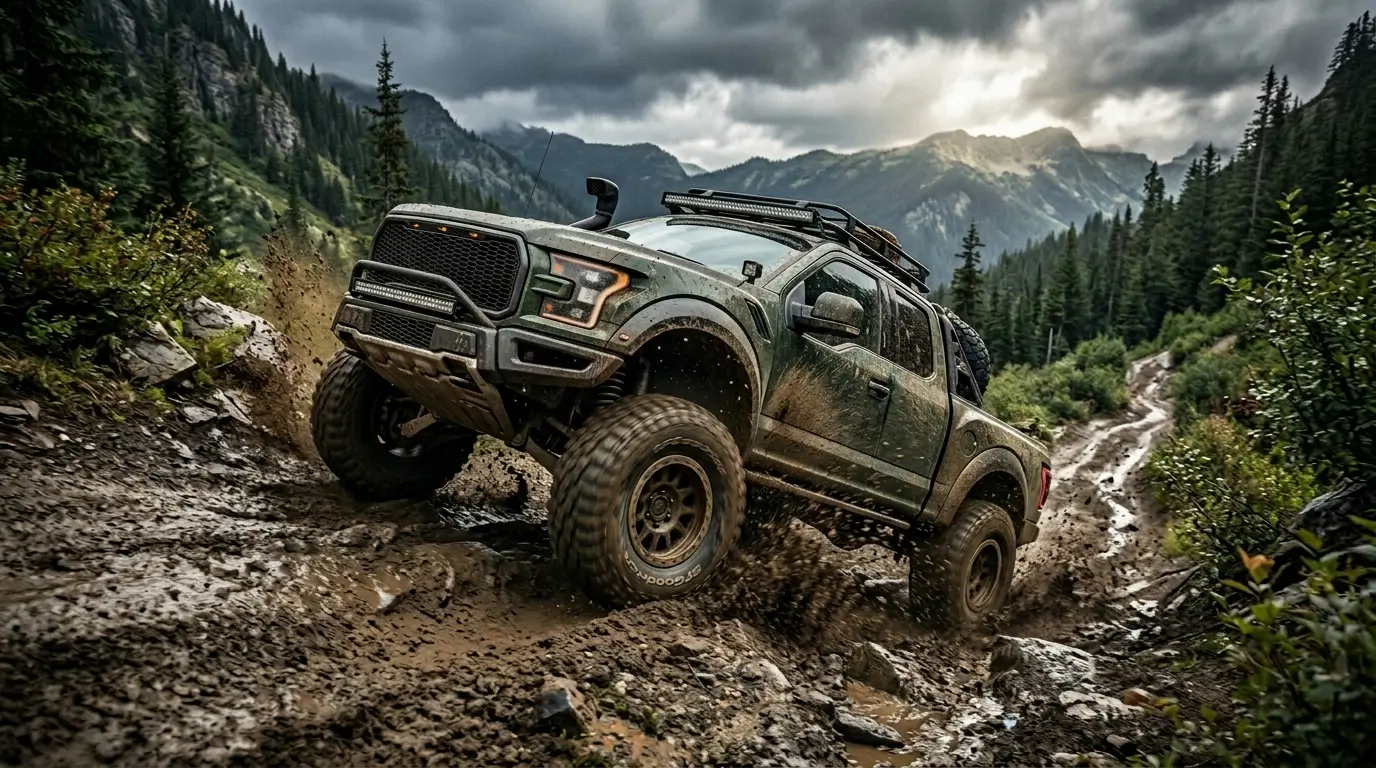
OffRoad Drive Pro puts you behind the wheel of serious 4×4 vehicles across some of the most brutal terrain you will find in a mobile driving simulator. Whether you are threading through a narrow rocky canyon, hauling through thick swamp mud, or inching over a mountain ridge that looks completely impossible, the game demands real mechanical thinking. You cannot button-mash your way through it.
I have spent a lot of time with this game, and I want to walk you through everything — from how the core controls actually work, to which vehicles perform best in specific conditions, to the mistakes that will cost you the most progress. Whether you just downloaded it from Apk5Star or you have been playing for a while and feel stuck, this guide covers it all. Let’s get into it.
Quick Answer: What Is OffRoad Drive Pro?
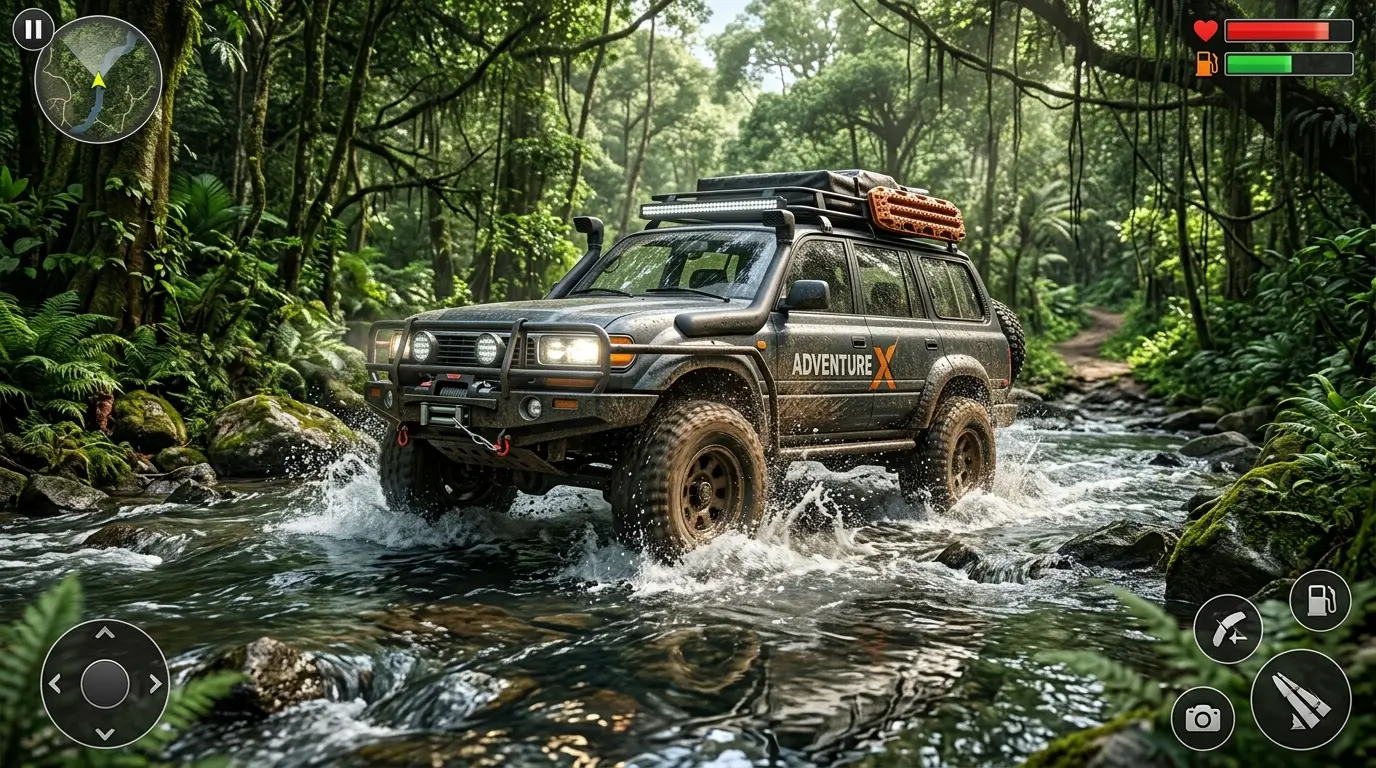
OffRoad Drive Pro is a realistic 4×4 off-road driving simulation game where players navigate heavy-duty trucks and SUVs through extremely challenging terrain including mud, rocks, water crossings, and steep mountain trails. The game features authentic vehicle physics, manual differential and winch controls, and multiple environments that test your driving skill rather than your speed. It is available on mobile platforms and consistently earns high ratings for its realistic handling model. You can find the latest verified version through Apk5Star, which keeps the library updated regularly.
Understanding the Core Controls in OffRoad Drive Pro
Most people who struggle with OffRoad Drive Pro early on are fighting the controls rather than the terrain. Once the control system clicks for you, everything changes. The game gives you more inputs than a typical driving game, and every single one matters.
Throttle and Brake
Your gas and brake pedals work exactly like you would expect, but the key difference here is that raw throttle is often your enemy. Flooring the gas in deep mud or on loose gravel just spins your wheels and digs you deeper into trouble. You need to learn feathering — applying just enough throttle to maintain momentum without breaking traction. This single skill separates players who get stuck every five minutes from those who flow through a course smoothly.
Differential Lock Controls
This is where OffRoad Drive Pro gets genuinely technical. The game includes front differential lock, rear differential lock, and center differential lock — each doing something specific. Your rear diff lock is your most used tool for getting through slippery sections where one rear wheel is losing grip. The center diff lock helps when the front and rear axles are fighting each other. The front diff lock is usually your last resort for very steep, technical climbs where you need maximum traction on all four wheels simultaneously.
The mistake most players make is locking everything at once as a default setting. That actually hurts your steering on flat sections. Learn to use only what the situation calls for.
The Winch System
Your winch might be the single most underrated tool in the game. When you are completely stuck — buried axle-deep with no traction anywhere — the winch can pull you to a nearby anchor point and get you moving again. The trick is spotting anchor points before you need them and understanding that the winch pulls you toward the attachment point, not just forward. You can use it to pull yourself around corners, up steep faces, or out of deep ruts.
Best Vehicles in OffRoad Drive Pro and When to Use Them
The vehicle roster in OffRoad Drive Pro covers everything from purpose-built rock crawlers to heavy expedition trucks. Each handles differently, and picking the wrong machine for a specific course makes things dramatically harder than they need to be.
| Vehicle Type | Best Terrain | Weakness | Difficulty Level |
|---|---|---|---|
| Rock Crawler | Rocky trails, steep climbs | Slow in mud, poor top speed | Beginner-friendly |
| Heavy Expedition Truck | Mixed terrain, long routes | Difficult to recover when tipped | Intermediate |
| SUV / Crossover | Light off-road, gravel, grass | Struggles in deep mud or water | Beginner |
| Military 4×4 | Mud, water crossings, ruts | Less precise on technical rocks | Intermediate |
| Trophy Truck | High-speed dirt and gravel | Vulnerable on slow technical sections | Advanced |
Starting Vehicle Recommendation
If you are new to the game and downloaded it fresh from Apk5Star, start with one of the rock crawler-style vehicles. They are forgiving, they have good low-end torque, and they rarely flip without serious provocation. The goal early on is to learn the physics engine and get comfortable with differential controls before you throw yourself into a trophy truck that wants to roll at the slightest provocation.
Terrain Types and How to Handle Each One
One of the things that makes OffRoad Drive Pro genuinely interesting is that each terrain type behaves differently and demands a different approach. You cannot use the same technique on rock that works in mud. Understanding this is more valuable than any vehicle upgrade.
Mud and Soft Ground
Mud is the terrain that humbles everyone. The ground deforms under your wheels, grip disappears without warning, and momentum is everything. In mud sections, your goal is to keep moving at all costs. Stopping in thick mud is a one-way ticket to getting stuck. Use your rear diff lock proactively before you enter a muddy section rather than waiting until you are already sliding. Keep your throttle steady and resist the urge to floor it when wheels start spinning.
Rocky Terrain and Technical Climbs
Rock sections are all about line selection. Before you commit to a climb or a descent, take a moment to read the surface. You want your wheels landing on solid rock, not bridging over gaps or sitting on loose stones. Low gear, slow speed, and constant differential management get you through rock sections. If you feel the rear starting to slide wide, ease off the throttle slightly and let gravity and traction work together.
Water Crossings
Water crossings are as much about reading depth as they are about vehicle control. In OffRoad Drive Pro, water affects vehicle dynamics significantly. You lose traction on submerged surfaces, and your momentum carries you in directions you might not intend. Enter water crossings at a steady, controlled speed — slow enough to maintain steering authority but fast enough that water resistance does not stop you mid-crossing.
Snow and Ice
Snow and ice sections are where many players start leaning heavily on their winch because traction is genuinely minimal. On ice, your vehicle will continue moving in whatever direction it was heading, with very little ability to change course. Approach these sections with patience, use low throttle, and keep your diffs unlocked on flat icy sections so you do not induce more understeer than necessary.
Step-by-Step: How to Complete a Tough Course Without Getting Stuck
- Survey the course before starting. Many courses give you a camera view or enough time to study the first few obstacles. Use this to plan your line before you commit your vehicle to it.
- Set your differential locks before entering difficult sections. Do not wait until you are already sliding to engage your diff locks. Engage rear diff lock before you hit the mud, not halfway through it.
- Control your speed deliberately. Slow is smooth, smooth is fast in off-road driving. Rushing through technical sections almost always creates problems that cost more time to fix than careful driving would have taken.
- Spot your winch anchor points early. As you drive, keep an eye on trees, rocks, and environmental objects that could serve as winch anchors. Knowing where they are means you do not panic when you need one.
- Use momentum intelligently in mud. Once you are moving through a muddy section, do not stop unless absolutely necessary. Controlled momentum beats power in soft terrain.
- Recover quickly from tips and rolls. If your vehicle tips, use the recovery function immediately. Do not let a rollover compound into a stuck position that requires multiple corrections.
- Manage your camera angle. The default camera angle does not always give you the best view of the terrain ahead. Adjust your view during technical sections so you can see exactly where your wheels are landing.
[INTERNAL LINK: Best Mobile Driving Simulation Games You Should Try in 2024]

Common Mistakes Players Make in OffRoad Drive Pro
- Flooring the throttle when stuck. This just digs you deeper. When traction is gone, more power makes things worse. Ease off and try a different approach or use the winch.
- Locking all differentials permanently. Running with everything locked on flat or semi-firm terrain hurts your steering and causes unnecessary wheel scrub. Lock only what the terrain demands at that moment.
- Ignoring the winch entirely. Players who think using the winch is admitting defeat are missing one of the most useful tools in the game. Professional off-road drivers use recovery gear constantly — it is not cheating, it is strategy.
- Choosing the wrong vehicle for the course. A trophy truck on a slow rock crawl or a rock crawler on a high-speed dirt trail both create unnecessary difficulty. Match your vehicle to the terrain type.
- Underestimating water crossings. Going too fast into water is as bad as going too slow. The game’s water physics are realistic enough that you will get pushed off your intended line if you charge in without control.
- Not learning the camera controls. Playing with a fixed camera angle throughout technical sections is a significant disadvantage. Learn to adjust your view so you can see the terrain ahead of your wheels.
Pro Tips for Mastering OffRoad Drive Pro Faster
After putting serious time into this game, here are the strategies that made the biggest difference in my own progression. These are not tricks — they are genuine gameplay habits that compound over time.
Learn Physics Before Chasing Upgrades
The biggest temptation when you start playing is to focus immediately on unlocking better vehicles. That is the wrong priority. The physics engine in OffRoad Drive Pro is consistent — once you understand how weight transfers under braking, how torque affects wheel spin in mud, and how your vehicle reacts on different surfaces, that knowledge applies to every vehicle in the game. Master the physics first, then the vehicles become tools you know how to use rather than mysteries you are fighting.
Replay Courses You Failed
Every failed run teaches you something specific. If you got stuck in the same mud section twice, that section is telling you something about your line choice or throttle management. Replaying a course with the specific goal of fixing one problem — not just completing it — builds skills faster than moving on to new courses constantly. Apk5Star users who reviewed this game consistently mention that the replay value is high precisely because each run gives you something new to work on.
Practice Winch Recovery in Easy Sections First
Do not learn how the winch works when you are already in a crisis. In an easier course, deliberately get yourself into a stuck position and practice attaching the winch, selecting anchor points, and controlling the direction of pull. When you need it for real in a brutal section, the muscle memory will already be there.
Use the Manual Camera for Technical Passages
Switching to manual camera control for the slowest, most technical rock sections gives you a massive advantage. You can position the camera to see exactly where each tire is going to land, which turns guesswork into calculated line selection.
Be Patient on Long Courses
Some of the longer courses in OffRoad Drive Pro take 20 to 30 minutes of careful driving to complete. The temptation to rush in the final sections — when you are tired and want to finish — is where most catastrophic mistakes happen. Treat minute 28 with the same patience as minute one.
OffRoad Drive Pro on Apk5Star: What You Need to Know Before Downloading
Apk5Star is one of the go-to platforms for mobile gamers who want reliable, updated, and properly vetted game files. When looking for OffRoad Drive Pro on Apk5Star, you will find that the platform provides clear version information, file sizes, and compatibility details so you know exactly what you are installing before you commit to a download.
The game itself is relatively compact for what it delivers in terms of physics simulation and content. Apk5Star lists system requirements clearly, which is worth checking because the game’s realistic physics engine does demand a reasonable amount of processing power. On older devices, you may notice frame rate drops in terrain-heavy scenes, so checking compatibility on Apk5Star before downloading saves you frustration.
One thing Apk5Star does well is keeping version history accessible. If a newer update of OffRoad Drive Pro introduced changes to vehicle handling or course layouts that you are not happy with, you can find previous stable versions through Apk5Star’s archive listings. This is genuinely useful for a physics-heavy game where even small updates can noticeably change how vehicles feel.
Frequently Asked Questions About OffRoad Drive Pro
Is OffRoad Drive Pro free to play?
OffRoad Drive Pro is a paid game, not a free-to-play title. It does not use an energy system or aggressive in-app purchase model. You pay once and get the full experience. You can find accurate pricing and download information on Apk5Star.
Does OffRoad Drive Pro have multiplayer?
The game is primarily a single-player experience focused on solo course completion. It does not feature real-time online multiplayer, though leaderboard-style competition through course completion times is part of the experience.
What devices does OffRoad Drive Pro run on?
The game is available on both Android and iOS. For Android users, Apk5Star provides device compatibility information alongside download listings. Generally, the game performs best on mid-range and higher devices from the last three to four years.
How many courses does OffRoad Drive Pro have?
The game includes multiple environments and course types covering different terrain categories. The exact course count has grown with updates over time, so checking the current version listing on Apk5Star will give you the most accurate count for the version you are downloading.
Can I play OffRoad Drive Pro offline?
Yes, the game is fully playable offline once downloaded and installed. This makes it a strong choice for mobile gaming during travel or in areas with limited connectivity.
Is the winch always available?
The winch is a standard feature available in the game, but it requires an anchor point within range. In open terrain with no trees or solid objects nearby, you may not be able to attach a winch line, which is part of what makes course navigation genuinely challenging.
How do I improve my lap times in OffRoad Drive Pro?
Improving times comes down to three things: better line selection so you avoid obstacles rather than fighting through them, smoother throttle control to maintain momentum, and smarter differential use so you have grip when you need it without sacrificing steering when you do not.
Wrapping Up: Why OffRoad Drive Pro Is Worth Your Time
OffRoad Drive Pro earns its reputation as one of the most authentic 4×4 driving simulators available on mobile. It does not hold your hand, it does not simplify the physics to make things easier, and it genuinely rewards the effort you put into understanding how off-road driving works. That combination is rare in mobile gaming.
The vehicle variety, the terrain diversity, and the depth of the control system give the game lasting appeal well beyond what most driving titles offer. Whether you are drawn to methodical rock crawling or the chaotic momentum management of mud stages, there is something here that will challenge and engage you.
If you are ready to get started or want to grab the latest version, Apk5Star is a solid place to find OffRoad Drive Pro with clear download information, version details, and device compatibility specs. Take the time to understand the controls properly from the beginning, pick your starting vehicle thoughtfully, and remember that patience is your most important asset in this game. The terrain will push back hard — but when you finally clean a course that had been beating you, it feels genuinely earned.
DISCLAIMER: This article is for informational and entertainment purposes only. OffRoad Drive Pro is a product of its respective developers. All gameplay details, features, and tips mentioned are based on community gameplay experience and may change with official game updates. apk5star.com is not affiliated with or endorsed by the developers of OffRoad Drive Pro.