Drive Zone: Car Simulator Game Review & Tips – Apk5Star
If you have ever picked up a mobile racing game expecting something deep and ended up with a mindless tap-to-win experience, you know exactly how frustrating that is. Most driving games on Android feel like glorified slot machines dressed up with car skins. That is what makes the Drive Zone: Car Simulator Game stand out so sharply from the crowd. This is not a quick drag race fest. It is a full-blown driving simulator that respects your time and actually rewards skill.
I have spent a serious amount of time behind the wheel in Drive Zone: Car Simulator, and in this guide I am breaking down everything — the gameplay mechanics, the car roster, how the physics actually feel, tuning options, the open world, and the tips that will save you hours of trial and error. Whether you are just downloading it for the first time or you have been grinding it for weeks, there is something useful here for you.
You can grab the game directly from the Google Play Store, and if you want trusted APK information and game reviews, Apk5Star is one of the best resources available.
What Is Drive Zone: Car Simulator Game?
Drive Zone: Car Simulator Game is a mobile driving simulator developed for Android. Unlike arcade racers that hold your hand through every turn, Drive Zone puts you in the seat of realistic cars with physics that actually respond to how you drive. Accelerate too hard out of a corner and you will feel the rear step out. Brake late and you will run wide. The game does not forgive sloppy driving — and that is a feature, not a flaw.
The Drive Zone: Car Simulator game falls into the open-world car simulator category, which means you are not locked into circuits or scripted race events. You can cruise freely, find your own routes, and use the environment however you like. There are also structured challenges and race modes if you prefer a more directed experience.
What separates it from other Android simulators is the combination of accessible controls and genuine depth underneath. You can pick it up in five minutes and still be discovering new things about it weeks later.

Drive Zone Car Simulator Game: Quick Overview
Here is a fast summary of what the Drive Zone: Car Simulator game offers before we get into the details.
Drive Zone: Car Simulator Game is a free-to-play Android driving simulator with an open world, realistic physics, a wide car selection, deep tuning options, and multiple driving modes. It is available on the Google Play Store and is compatible with most modern Android devices. The game suits players who want more than an arcade experience but are not ready for a full PC simulator setup.
The Open World: How Big Is It and What Can You Do?
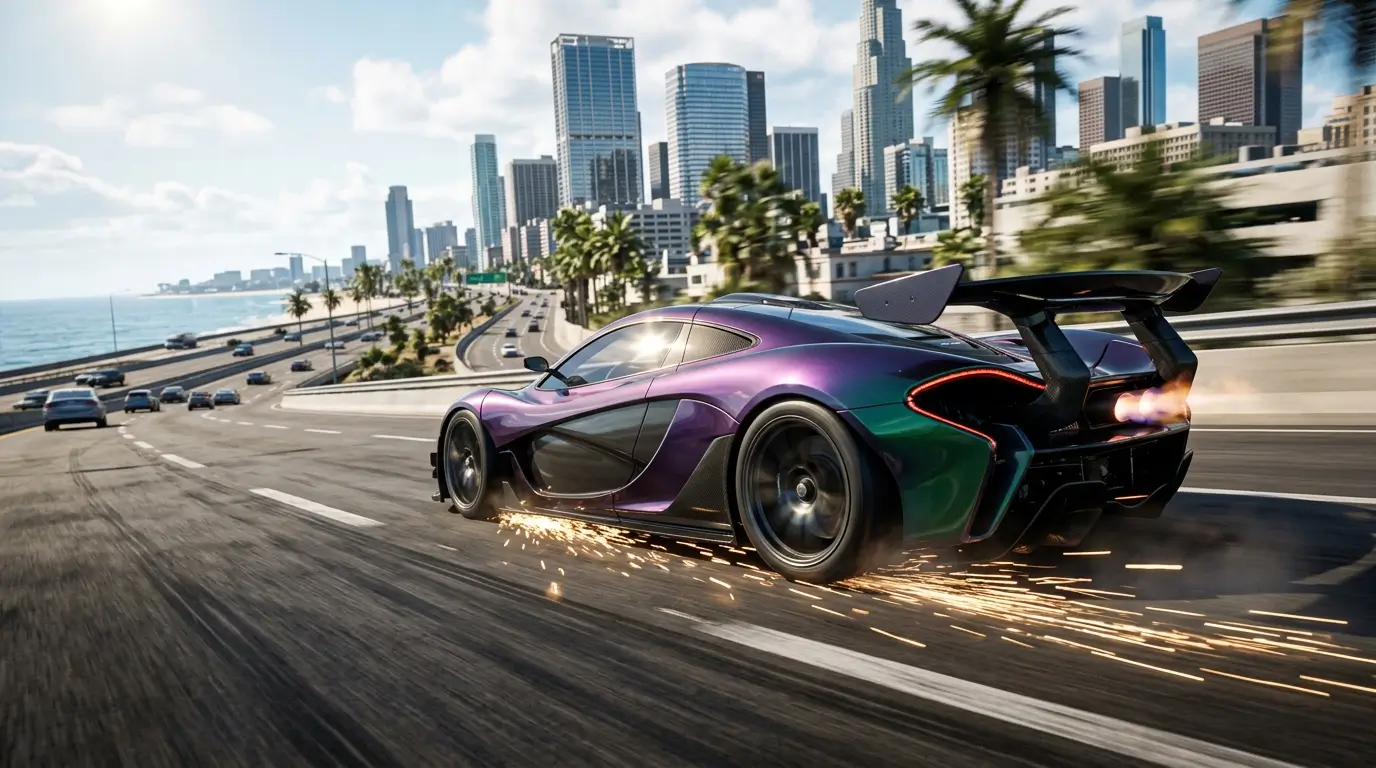
The open world in Drive Zone: Car Simulator is one of its strongest selling points. The map is large enough that you will not memorize every road on your first session. There are highways for high-speed runs, tight urban streets for technical driving, mountain passes with elevation changes, and industrial areas that work well for drift practice.
Exploration and Freedom
The game gives you genuine freedom in how you move through the world. There is no mandatory mission structure forcing you down a set path. You can spawn in and immediately start doing whatever interests you — testing a new car, practicing a specific corner, or just cruising and enjoying the scenery.
The day and night cycle adds a layer of atmosphere that many mobile games skip entirely. Driving the same road at night with headlights cutting through the dark genuinely feels different from doing it in daylight. It is a small detail that makes the world feel alive.
Traffic and Environment
Traffic in the open world adds unpredictability, which works in the game’s favor. You cannot just memorize a clean racing line on public roads because there will be vehicles in the way. Learning to read traffic and react quickly is actually a useful skill the game builds without explicitly teaching it.
The environment reacts reasonably to your driving. Wet road conditions change how much grip you have. The physics model adapts to surface type, so understanding what the road is doing under your wheels matters more than it does in most mobile racing games.
Car Selection and Vehicle Variety
Drive Zone: Car Simulator Game fields a solid roster of vehicles across different categories. You have sports cars, muscle cars, classic vehicles, and everyday cars that have been tuned into something special. The variety matters because different car types genuinely behave differently in the game’s physics model.
How Cars Feel Different
A rear-wheel-drive muscle car and a front-wheel-drive hatchback do not handle the same way in Drive Zone, and that distinction is important. The muscle car wants to oversteer under power. The hatchback pushes wide at the front when you ask too much of it. Learning the character of each car you drive is part of the progression.
The vehicle roster is regularly updated, so the selection grows over time. Checking in after updates often reveals new additions worth trying. For a current list of available vehicles, Apk5Star keeps updated game information that is worth bookmarking.
Vehicle Categories at a Glance
| Category | Driving Style | Best For |
|---|---|---|
| Sports Cars | Balanced, high top speed | Highway runs, time trials |
| Muscle Cars | Rear-heavy, oversteer-prone | Drag strips, drift zones |
| Classic Cars | Heavier, more understeer | Cruising, style points |
| Tuned Hatchbacks | Agile, front-wheel drive feel | Technical corners, urban racing |
| SUVs and Off-Road | High ride height, all-terrain | Off-road exploration |
Car Tuning and Customization System
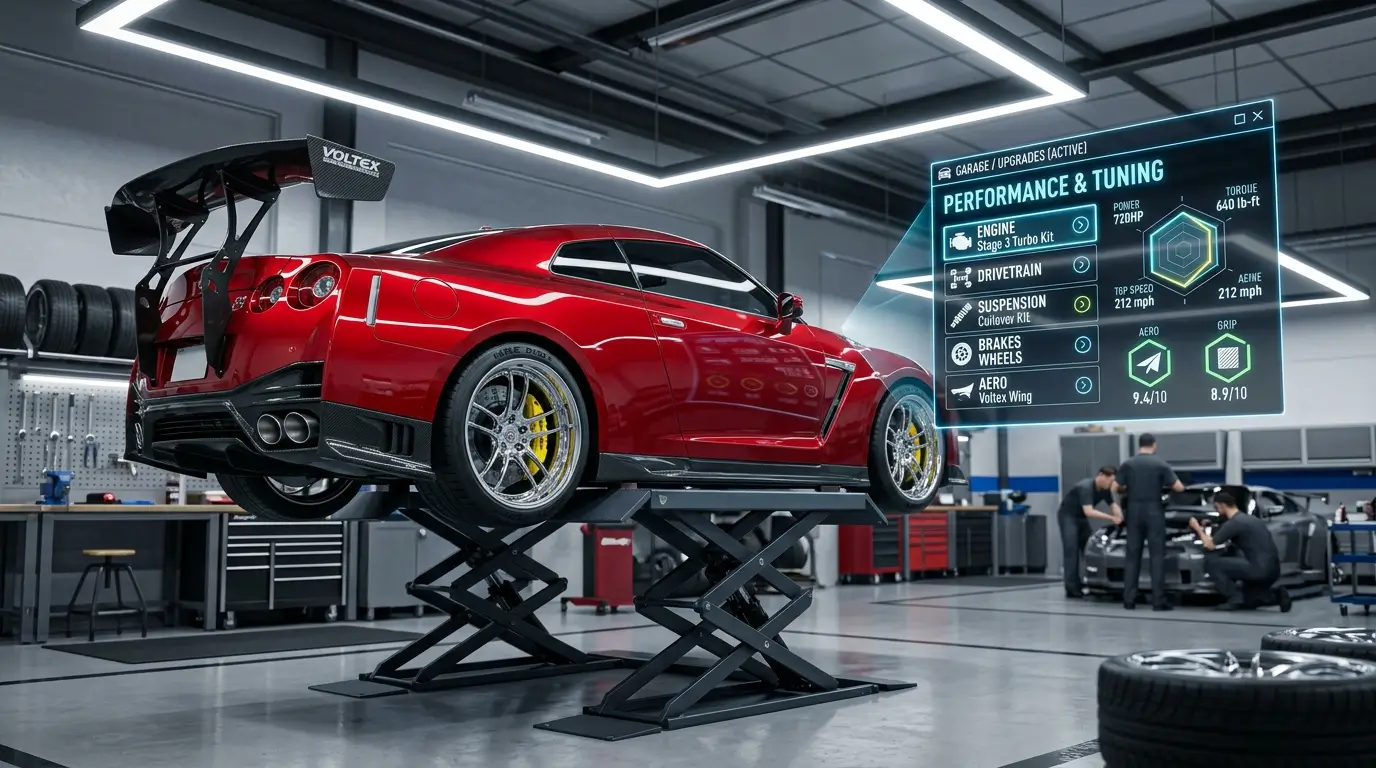
This is where Drive Zone: Car Simulator Game earns serious respect compared to most mobile racing titles. The tuning system is not just cosmetic number inflation. It actually changes how the car behaves on the road.
Performance Upgrades
Engine tuning, suspension setup, brake balance, and tire compound are all areas you can modify. Changing the suspension stiffness makes a real difference to how the car handles bumps and corners. Going stiffer improves response but makes the ride more unsettled over rough surfaces. Softer suspension gives more mechanical grip but makes the car feel lazier to respond.
This level of depth is unusual in a free mobile game. Most games in this category give you a power number and call it tuning. Drive Zone actually makes you think about what kind of setup suits your driving style.
Visual Customization
Beyond performance, the cosmetic options let you personalize your cars significantly. Paint colors, wrap designs, wheel styles, and body kits are all available. The visual customization does not affect performance, so you can go purely aesthetic without worrying about a mechanical disadvantage.
Tuning Tips by Driving Style
- Drifting setup: Reduce rear tire grip, loosen the rear suspension, and increase power delivery. You want the rear to step out more readily.
- Grip racing setup: Stiffen the suspension, increase brake bias toward the front, and use a tire compound with higher overall grip.
- Drag racing setup: Maximize power output, soften rear suspension to help with traction on launch, and reduce top-end aero drag where available.
- Open world cruising: Balanced suspension, moderate tire compound. You want a car that handles unpredictably without being punishing.

Driving Physics: What Makes It Feel Real
The physics engine is the beating heart of Drive Zone: Car Simulator Game. It is not a full simulation on the level of PC titles, but for a mobile game it is genuinely impressive. The handling model respects the fundamentals of vehicle dynamics in a way that rewards better driving input rather than just more powerful cars.
Weight Transfer
When you brake hard, the car dives forward. When you accelerate, the rear squats. These weight transfers affect grip distribution and if you are not thinking about them, they will catch you out. Braking while already in a corner shifts weight to the outside front wheel. Done correctly, this gives you more front grip and helps rotation. Done wrong, it unloads the rear and sends you spinning.
Throttle Control Out of Corners
Coming out of a tight corner and getting back on the throttle too hard, too early, is the single most common mistake players make in Drive Zone. The rear steps out because you are asking for power before the steering is straight enough to handle it. The fix is simple: be patient. Wait until you are pointing closer to the exit of the corner before feeding the power back in. You will be faster as a result.
Braking Technique
Trail braking — keeping light brake pressure into a corner as you start to turn — is a technique that works in Drive Zone exactly as it does in real motorsport. It keeps weight over the front end during corner entry, increasing front grip and making the car rotate more willingly. It takes practice but once it clicks, your corner speed will improve noticeably.
Step-by-Step Guide: Getting Started in Drive Zone
- Download from the Play Store: Install Drive Zone: Car Simulator Game from the official Google Play listing. The game is free with optional in-app purchases.
- Complete the tutorial: Do not skip this. The tutorial teaches the control layout and gives you a feel for the physics before the open world opens up.
- Start with a beginner-friendly car: Pick a car with more neutral handling before jumping into high-powered rear-wheel-drive vehicles. You will learn faster on something forgiving.
- Explore the open world first: Before taking on structured races, spend time just driving. Learn the map, understand how your chosen car responds, and find roads you enjoy.
- Earn currency through challenges: The in-game challenges are your main income source for buying new cars and upgrades. Prioritize completing them consistently.
- Tune before you buy new: Before spending on a new car, invest in tuning your current one. A well-tuned car will often outperform a stock vehicle one tier above it.
- Experiment with control schemes: Drive Zone offers multiple input options. Try tilt, touch, and on-screen buttons to find which one gives you the best lap times.
- Check Apk5Star for guides and updates: The game updates regularly. Staying current on new content and changes helps you stay ahead.
Game Modes Explained
Drive Zone: Car Simulator Game is not a one-trick pony. Beyond free roaming, there are several structured modes that give you objectives to chase and rewards for completing them.
Free Roam
This is the core experience for most players. You are dropped into the open world with no time limits or mandatory objectives. Use it to practice, explore, or just unwind. The absence of pressure makes it the best environment for learning the cars and the map.
Race Events
Structured races put you against AI opponents on specific routes. These scale in difficulty and are the primary way to earn in-game currency quickly. Learning the route before committing to a race event gives you a significant advantage. AI opponents are consistent, which means if you can beat the road, you can beat them.
Drift Challenges
Drift challenges score you on angle, speed, and duration of slides. They require a completely different setup to circuit racing. If you are coming from a grip mindset, expect to spend time relearning throttle control for this mode. The reward for mastering it is satisfying, both in score terms and in how it feels to execute a clean drift run.
Time Trials
Time trials are the purest test of driving ability in the game. Just you, a car, a route, and a clock. No opponents to use as a crutch. Your setup and your technique are all that matter. Time trials are where the tuning system shows its value most clearly because the right setup for a specific route can shave seconds off your best time.
Common Mistakes to Avoid
- Ignoring suspension tuning: Most players only upgrade engine power and wonder why their car still handles badly. Suspension is the foundation of good lap times. Fix it first.
- Buying new cars before upgrading current ones: Spreading your currency too thin means you have multiple weak cars instead of one strong one. Focus your resources.
- Using the wrong control scheme for your playstyle: Tilt controls suit some players, touch buttons suit others. Not testing all options costs lap time and enjoyment.
- Overdriving into corners: Arriving too fast means you brake mid-corner, which upsets the car and costs time. Slow in, fast out is always faster than fast in, off the road.
- Skipping the free roam practice: Jumping straight into races without understanding the cars means you learn under pressure. Practice in free roam costs nothing and pays off immediately.
- Using full throttle out of tight corners in rear-wheel drive cars: This causes wheel spin and oversteer at exactly the moment you need traction. Feed the power progressively.
Pro Tips for Faster Lap Times and Better Performance
- Learn one car deeply before moving to another: Jumping between vehicles constantly means you never fully understand any of them. Master a single car and your overall skill level rises faster.
- Use the ghost car feature in time trials: Racing your own ghost reveals exactly where you are gaining or losing time. It is more informative than looking at a final time alone.
- Set up separate tuning profiles for different modes: A drift setup and a circuit setup for the same car should be different. Do not compromise one for the other.
- Study the map before competitive events: In free roam, drive the route you will be racing. Memorize braking points, corner apexes, and any road surface changes that affect grip.
- Lower the ride height for circuit racing: A lower center of gravity reduces body roll and improves responsiveness. It is one of the easiest setup wins available.
- Manage tire wear during longer sessions: The game models tire behavior over time. Aggressive early laps can mean degraded grip later. Smooth inputs preserve tires better than aggressive ones.
- Follow Apk5Star for update notes: Car balance changes with game updates. A car that was optimal last month might have been adjusted. Staying informed keeps your setups relevant.
Frequently Asked Questions
Is Drive Zone: Car Simulator Game free to play?
Yes, Drive Zone is free to download and play on Android. There are optional in-app purchases for cosmetic items and to accelerate currency earning, but you can progress through all core content without spending money.
What Android version does Drive Zone require?
The game is compatible with Android 5.0 and above. Most modern Android phones and tablets will run it without issues. For the best performance, a device with at least 3GB of RAM is recommended.
Does Drive Zone: Car Simulator Game have multiplayer?
The game includes online elements. Check the current version on the Play Store or on Apk5Star for the latest feature availability, as multiplayer features have been updated across versions.
How do I earn in-game currency faster?
Completing daily challenges and race events consistently is the most reliable way to earn currency. Drift challenges often offer good reward rates relative to the time they take. Logging in daily for any bonus rewards is also worth doing.
Can I play Drive Zone: Car Simulator Game offline?
Much of the core gameplay, including free roam and offline race modes, can be accessed without a live internet connection. Some features, including online leaderboards and certain challenges, require connectivity.
Is the game suitable for beginners?
Drive Zone has enough accessibility features to work for beginners while still offering depth for experienced players. Start with the tutorial, choose a forgiving car, and use the free roam mode to build your skills before tackling competitive events.
How often does the game receive updates?
The developers update Drive Zone: Car Simulator Game with some regularity, adding new cars, adjusting the balance, and occasionally introducing new features or map areas. Monitoring the Play Store listing or sites like Apk5Star will keep you informed of new releases.
Is Drive Zone Worth Your Time?
Honestly, yes. Drive Zone: Car Simulator Game fills a gap in the Android gaming market that has needed filling for a while. It is a driving game that takes its mechanics seriously without being so punishing that it becomes inaccessible. The open world is genuine fun to explore, the physics reward better driving technique, and the tuning system has real depth behind it.
It is not perfect. The monetization, like most free mobile games, can feel pushy at points. And players expecting console-level production values will need to adjust their expectations. But within the constraints of what a mobile game can be, Drive Zone delivers something that is actually enjoyable to play over a sustained period.
If you compare it to other car simulators in the Android space, it holds up well. The combination of open world freedom, realistic physics, and genuine car variety puts it well ahead of most of its direct competitors.
Final Thoughts on Drive Zone: Car Simulator Game
The Drive Zone: Car Simulator Game is one of the more rewarding driving experiences currently available on Android. It respects the player enough to offer real mechanics rather than dumbed-down tap controls, and it gives you enough vehicle and world variety to keep things interesting across many hours of play.
Getting the most out of it means investing time in understanding the physics, learning your cars properly, and using the tuning system with intention rather than just maxing out power numbers. Do those things and the game will reward you with lap times and drift runs that feel genuinely earned.
For download information, version history, and the latest game updates, Apk5Star is a reliable resource to keep in your bookmarks alongside your Play Store listing. The game is worth downloading, and with the tips in this guide, you should be well ahead of where most players start.
DISCLAIMER: This article is for informational and entertainment purposes only. Drive Zone: Car Simulator Game is a product of its respective developers. All gameplay details, features, and mechanics mentioned are based on community gameplay experience and may change with official game updates. apk5star.com is not affiliated with or endorsed by the developers of Drive Zone: Car Simulator Game.