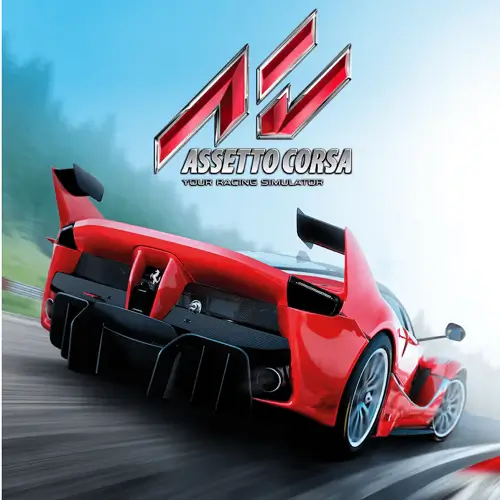
Assetto Corsa Mobile
The official Assetto Corsa Mobile was made for iPhone and iPad, not Android. As far as I could confirm, there is no official Android version on Google Play. This guide explains what the game is, what its controls looked like on iOS, and what you can realistically do if you want an Assetto Corsa-style experience on an Android phone.
Is Assetto Corsa Mobile on Android?
The mobile game was developed by Digital Tales and published by 505 Games. It launched on iOS on August 31, 2021, at a price of $4.99. At launch, reports said an Android release was not planned, and 505 Games’ own account was cited as confirming that. A reference page for the game also lists it as iOS, iPadOS and macOS, and says an Android version was in development but is not known to have been released.
You may still see pages offering an “Assetto Corsa Mobile APK” for Android. Some of them describe the file as official or even free. Others openly say they are community-built modifications that are not published by Digital Tales or 505 Games. Neither type is an official Android release. Where sources disagree, treat the official Google Play Store as the final check: if the game is not listed there under 505 Games, it is not an official Android release.
The same reference also lists the iOS game as discontinued in late 2022, so check the App Store before assuming it can still be bought.
What the Game Offered on iOS
Knowing what the real game contains helps you spot fake download pages that promise features it never had. At launch, the iOS game included:
| Feature | Details |
|---|---|
| Cars | 59 officially licensed cars from brands such as Ferrari, Lamborghini, Porsche, Maserati and Toyota |
| Tracks | 9 real circuits, including Brands Hatch, Laguna Seca and Imola |
| Modes | Free Practice, Classic Race, Time Attack, Overtake and Speed Camera, plus a career mode |
| Controls | Touch steering, tilt steering and limited controller support |
A reviewer for RaceDepartment found the game a fun, sim-like experience with a long career mode, but felt it did not match the original PC game. That is useful context if you expected a full simulator.
Controls in the Original Mobile Game
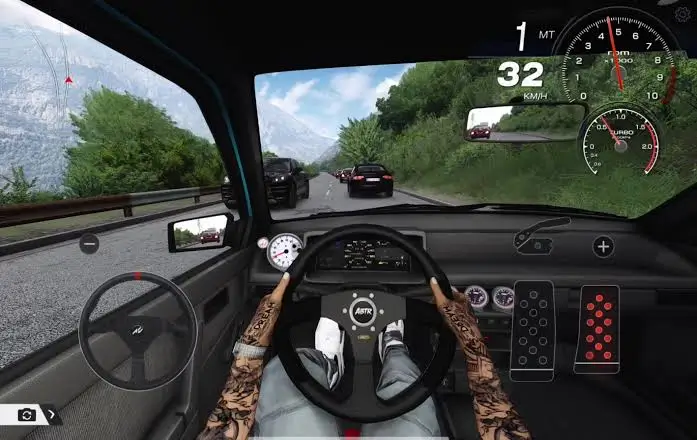
The iOS version let players choose how to steer. The publisher said the controls could be customized, including tilt, touch-pad steering and throttle assist.
If you ever play it on an iPhone or iPad, a sensible starting setup is:
- Touch or tilt steering: try both for a few laps before deciding.
- Throttle assist: turn it on if you are new, then lower it as you improve.
- Braking early: real-track layouts punish late braking even with assists.
- Controller: use one if you have it, but note that support was described as limited.
How to Get an Assetto Corsa Experience on Android
If you have an Android phone, these are the realistic choices.
Stream the PC Version From Your Own Computer
If you own Assetto Corsa on PC, you can stream it to your phone with a remote play app. The game runs on your PC, and the phone shows the video and sends your inputs.
- You need a PC that runs Assetto Corsa well and a legal copy of the game.
- A stable, fast network matters most. A 5 GHz Wi-Fi connection close to the router works better than a weak signal.
- A Bluetooth or USB controller makes driving far easier than touch.
- Latency can affect steering precision, so expect it to feel different from playing directly on the PC.
Try Official Racing Games on Google Play
If you just want a good racing game on Android, search Google Play for racing games from established publishers and check the developer name, reviews and size. Two commonly known names are Real Racing 3 and CarX Street. Features, pricing and availability change, so check their listings.
What We Do Not Recommend
- Mod APKs claiming to be Assetto Corsa Mobile. They are not official, may contain malware, and some promise “all cars unlocked” or “unlimited money,” which is a common lure for unsafe downloads.
- Emulating iOS apps on Android. This is technically unrealistic and not supported.
- Sites that ask for survey completion, login details or security changes before a download.
If you do decide to run any unofficial file, check what permissions it asks for. A racing game should not need your messages or contacts.
Tips for Playing Racing Sims on a Phone
These apply to the streamed PC version or any sim-style racing game on Android:
- Use a controller if you can. Analog triggers and sticks give finer control than a touchscreen.
- Start with assists on. Traction control and braking assists make early laps less frustrating.
- Learn one track at a time. Repeating the same circuit teaches braking points faster than switching often.
- Keep the phone cool. Streaming and 3D racing both heat a phone. Take breaks during long sessions.
- Watch your data. Streaming over mobile data can use a lot of data.
Frequently Asked Questions
Is there an official Assetto Corsa Mobile for Android?
I found no confirmation of one. The official release was for iOS, iPadOS and macOS, and Google Play is the place to verify any change.
Is the Assetto Corsa Mobile APK safe?
It is not an official Android release, so we do not recommend it. Files from other sites cannot be assumed safe.
Can I play the PC game on my Android phone?
You can stream it from your own PC with a remote play app. You cannot install the PC version natively on a phone.
Does the mobile game have the same physics as the PC game?
No. Reviewers described the mobile version as a simplified, sim-like game and not a copy of the PC experience.
What about Assetto Corsa EVO or Rally?
They are separate PC titles and are not mobile games.
Conclusion for Assetto Corsa Mobile
Assetto Corsa Mobile is an iOS game, and an official Android version has not been confirmed. For Android players, the safest options are streaming the PC game from your own computer or choosing an official racing title from Google Play. Skip the mod APKs, because they are not what they claim to be.
Visit apk5star for more games.