Forza Horizon 5 on Mobile
There is no official native Forza Horizon 5 app for Android. You can still play it on an Android phone or tablet, but only by streaming it. This APK5Star guide explains the legitimate ways to do that, what you need, and which downloads to avoid.
The Short Answer
Forza Horizon 5 launched on November 9, 2021 for Windows and Xbox consoles, and a PlayStation 5 version followed on April 29, 2025. Its official platform list is console and PC. No official Google Play version has been announced.
At launch, Microsoft’s announcement FAQ listed one mobile route: Android phones and tablets could stream the game through Xbox Cloud Gaming (Beta) using the Xbox Game Pass mobile app. Names, apps, plans and game libraries change over time, so confirm the current details in the Xbox app and on Microsoft’s site before you pay for anything.
Ways to Play Forza Horizon 5 on Android
| Method | What you need | Main trade-off |
|---|---|---|
| Xbox Cloud Gaming | Xbox app, a supported Game Pass plan, stable internet | Depends on the cloud library and plan in your region |
| PC streaming | Your own PC with the game, a remote play app, home network | Needs a capable PC that stays on |
| Native Android app | Not available | No official version exists |
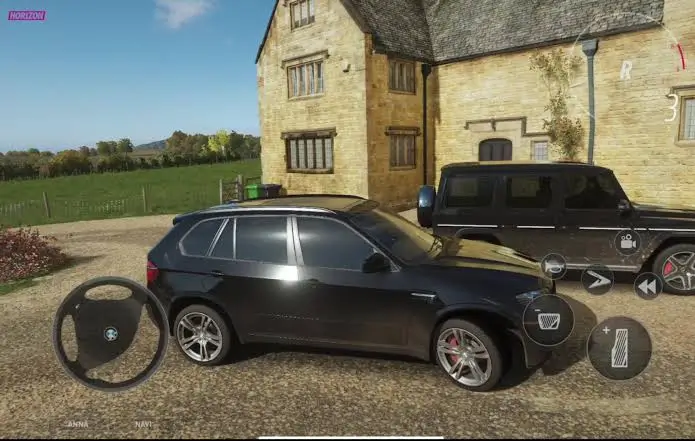
Method 1: Xbox Cloud Gaming
The game runs on Microsoft’s servers and streams video to your phone. Your phone only needs to decode the video and send your controller input.
- Install the official Xbox app from Google Play.
- Sign in with your Microsoft account.
- Check that your subscription includes cloud gaming and that Forza Horizon 5 appears in the cloud library for your region.
- Connect a controller, then start the game from the app.
Cloud availability can differ by country, plan and time, so a game that was listed at launch may not be listed now.
Method 2: Stream From Your Own PC
If you already own Forza Horizon 5 on PC, you can stream it to your phone with a remote play tool. One example is Steam Remote Play, which works if you own the game on Steam. Other remote desktop tools can also work.
- Your PC does the work, so a weak PC will give a weak experience.
- Keep the PC on and connected to your home network.
- A 5 GHz Wi-Fi connection near the router usually works better than a weak or crowded one. Wired Ethernet on the PC side helps.
Use a Controller
Forza Horizon 5 is a driving game with a lot of controls, and touch is not a comfortable way to steer and manage acceleration. One accessory maker’s guide says touch controls are very limited for this game and recommends a controller.
Any controller that works with your phone and your streaming app is worth trying. Before you start a race:
- Pair the controller over Bluetooth or plug it in.
- Test the steering and triggers in the menu.
- Check for any button-mapping options in your streaming app.
Settings and Habits for a Smoother Session
- Close other apps. Background apps compete for network and processing power.
- Lower the stream quality if it stutters. A lower resolution is better than a laggy stream.
- Avoid mobile data unless you need it. Streaming can use a lot of data.
- Watch the heat and battery. Video streaming for long periods can warm the phone and drain the battery. Take breaks or plug in.
- Expect some latency. Even a good connection adds a little delay between input and picture, which you may notice in tight corners.
Avoid “Forza Horizon 5 Mobile APK” Downloads
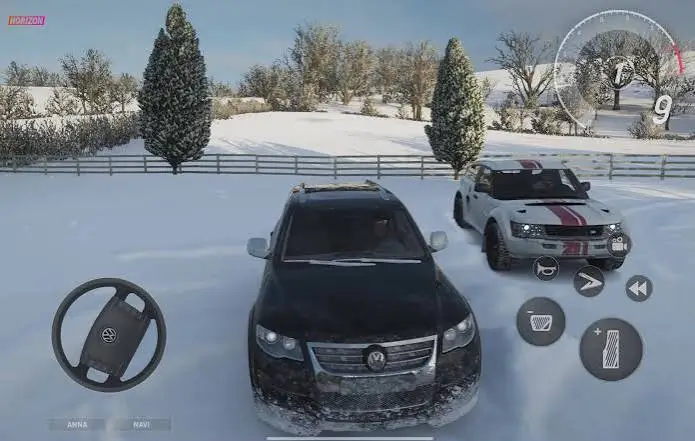
If you search for a mobile version, you may find APK pages, including pages calling a game “Forza Horizon Mobile 5.” These are not Microsoft or Playground Games releases. Some appear on third-party app listing sites and have no connection to the official game.
APK5Star recommends staying away from these files. Unknown APKs can contain malware, ask for unnecessary permissions, or push you to complete surveys and install other apps. If a page asks you to turn off security settings or sign in to your Microsoft or Google account outside the official pages, close it.
Frequently Asked Questions
Is there an official Forza Horizon 5 Android app?
No. The game is on Windows, Xbox and PS5. On Android, the official route is cloud streaming.
Is Forza Horizon 5 free on mobile?
Cloud access generally needs a subscription that includes cloud gaming. Prices and plans change, so check the Xbox app for your region.
Can I play offline?
No. Streaming needs an internet connection throughout.
Will Forza Horizon 6 change anything?
Forza Horizon 6 is a separate game that launched on May 19, 2026, with Windows, Xbox Series X|S and PS5 listed as platforms. Its mobile or cloud availability is a separate question, so check its own store pages.
Do I need a powerful phone?
Not for cloud gaming or PC streaming, since the game runs elsewhere. You do need a stable connection and a phone that supports your streaming app.
Conclusion
Playing Forza Horizon 5 on Android means streaming it, either through Xbox Cloud Gaming or from your own PC. Use a controller, a stable Wi-Fi connection and the official Xbox app, and skip fake APKs. APK5Star will update this guide if an official mobile version appears, so check Google Play and Microsoft’s pages for the latest status.