GTA San Andreas Mobile
GTA San Andreas Mobile is the official Android version of Rockstar‘s 2004 open-world game. This guide covers how to install it, what to check on your phone first, how the controls generally work, and some habits that make the first hours smoother. It does not cover unofficial APKs or mods.
Where to Get the Official Version of GTA San Andreas Mobile
San Andreas came to mobile platforms in December 2013, and you can download it directly from the Google Play Store. It is a paid game, not a free one. Early launch coverage listed a price of $6.99 / £4.99, but prices vary by country and can change with sales, so check the current price on your own Play Store listing.
To install GTA San Andreas Mobile:
- Open Google Play and search for Grand Theft Auto: San Andreas.
- Confirm the developer is Rockstar Games.
- Buy and install it with the Google account on your phone.
- Open the game and let it finish any first-launch setup.
If you buy it from the Play Store on one account, you sign in with that account to reinstall later.
Check Storage and Device Compatibility First
Rockstar’s support page lists around 2.5 GB of storage space for Android and Kindle devices. Treat that as the install size, and leave extra free space for save data and updates.
Supported devices can vary. The Play Store lists whether your device is compatible, and Rockstar may update this over time. If the Install button is missing or greyed out, your phone may not be supported or the game may not be available in your region.
Android’s early launch reviews were rough. One Russian tech site reported a low Google Play average of 1.9 out of 5 shortly after release, with complaints about crashes and instability. That is old news from 2013 and the game has since been updated, but it is a reminder to keep the game and your phone’s system software up to date.
Understanding the Basics of the GTA San Andreas Mobile
You play as Carl Johnson, who returns to Los Santos, a city caught up in gang violence, drugs and corruption. Launch coverage estimated the campaign at 70 hours or more. That is a long game, so it helps to know a few basics before you start.
- Story missions move the plot forward and are marked on the map.
- Side activities are optional and run alongside the story.
- Free roaming lets you explore, drive and wander between missions.
The map marks mission starts and other points of interest. Follow the map markers when you are unsure where to go next.
Controls on a Touchscreen of GTA San Andreas Mobile
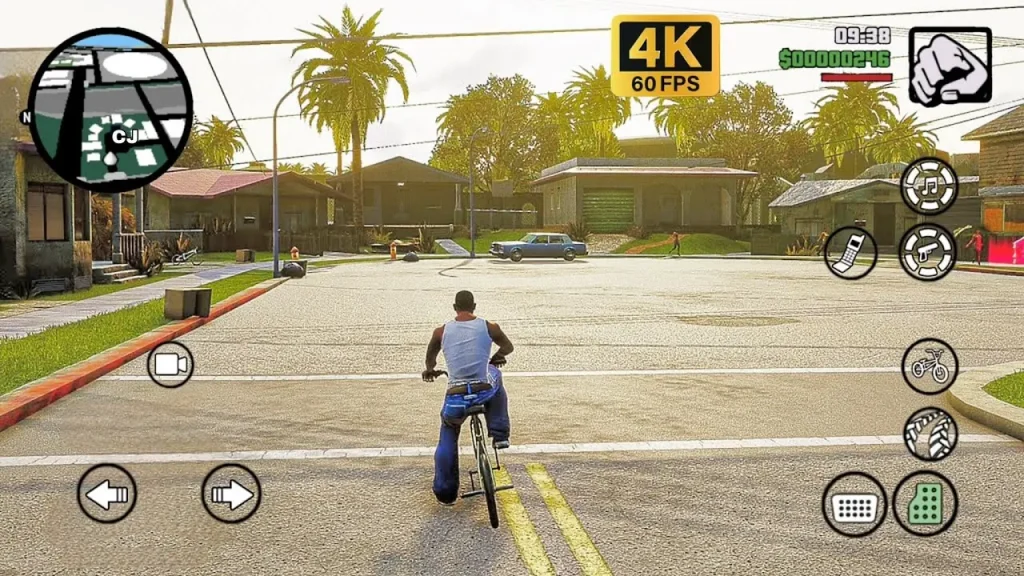
The mobile version uses on-screen virtual controls, typically a movement stick on one side and action buttons on the other. The exact layout can change depending on whether you are on foot, in a vehicle or aiming a weapon.
When San Andreas first launched on iOS, a reviewer said the touch controls performed well even under stress. Other people find touch driving and shooting awkward, so it is a matter of taste.
A few practical steps:
- Open the controls settings first. Look for options to adjust button size, position, sensitivity and camera behavior.
- Practice somewhere quiet. Spend a few minutes driving and aiming before you start missions.
- Try a controller. Android versions of the game were reported to support controllers made for Android devices. Compatibility depends on your controller and phone, so check Rockstar’s support page or try it with your own setup.
Saving Your Progress in GTA San Andreas Mobile
San Andreas expects you to save at a safehouse, and your game does not necessarily keep every moment of progress automatically. Look for a save option at a safehouse bed or a similar save point, and save before you start difficult missions.
How saves transfer between phones depends on your setup. If you plan to switch devices, check Rockstar’s current support information before you uninstall anything.
Beginner Tips on GTA San Andreas Mobile
- Learn to drive before you take on missions. Vehicles are everywhere in the game, and good driving makes missions easier.
- Keep an eye on your health and your wanted level. Fighting police draws more attention, so retreat when things get out of control.
- Retry freely. Failed missions can be restarted, so experiment with different approaches.
- Explore between story missions. Free roaming is where the game’s size shows, and it lets you learn the map.
- Watch your battery and temperature. A 3D open-world game can drain the battery quickly and warm the phone. Take breaks and avoid playing while charging in hot conditions.
Common Problems and Practical Fixes in GTA San Andreas Mobile
| Problem | What to try |
|---|---|
| Game won’t install | Check free storage, Play Store compatibility and your region |
| Crashes or freezes | Restart the phone, close background apps, update the game and Android |
| Controls feel wrong | Adjust sensitivity, button size and layout in settings |
| Phone gets hot | Lower brightness, take breaks, remove thick cases |
| Lost purchase | Sign in with the same Google account used for the purchase |
If these steps don’t help, Rockstar’s support site is the safest place to look for device-specific issues.
Avoid Unofficial “GTA SA” Downloads
Many sites advertise a free APK, “lite” version, or a modded edition. Those files do not come from Rockstar, and they can contain malware or request excessive permissions. If a site asks you to complete surveys, disable security protection or sign in with your Google account, close it.
The official version is on Google Play. No download source is completely risk-free, so use your own judgment.
Frequently Asked Questions
Is GTA San Andreas free on Android?
No. It is a paid game on Google Play. Price varies by region and can change.
How much storage does it need?
Rockstar’s support page lists around 2.5 GB, though you should leave extra room for saves and updates.
Can I use a controller?
Android controller support has been reported, but compatibility depends on your controller and device.
Is it the same as the PC or console version?
The mobile version is a port of the original game with touch controls. Details such as graphics and controls can differ from other platforms.
Do I need internet to play?
You need it to download and buy the game. Whether it requires a connection for other features can change, so check the Play Store listing.
Conclusion
Playing GTA San Andreas Mobile is simple: buy the official version from Google Play, make sure your phone has enough free storage, and adjust the touch controls before you start. Save often, take breaks to protect your battery, and stay away from unofficial downloads.
Visit apk5star for more gaming topics.